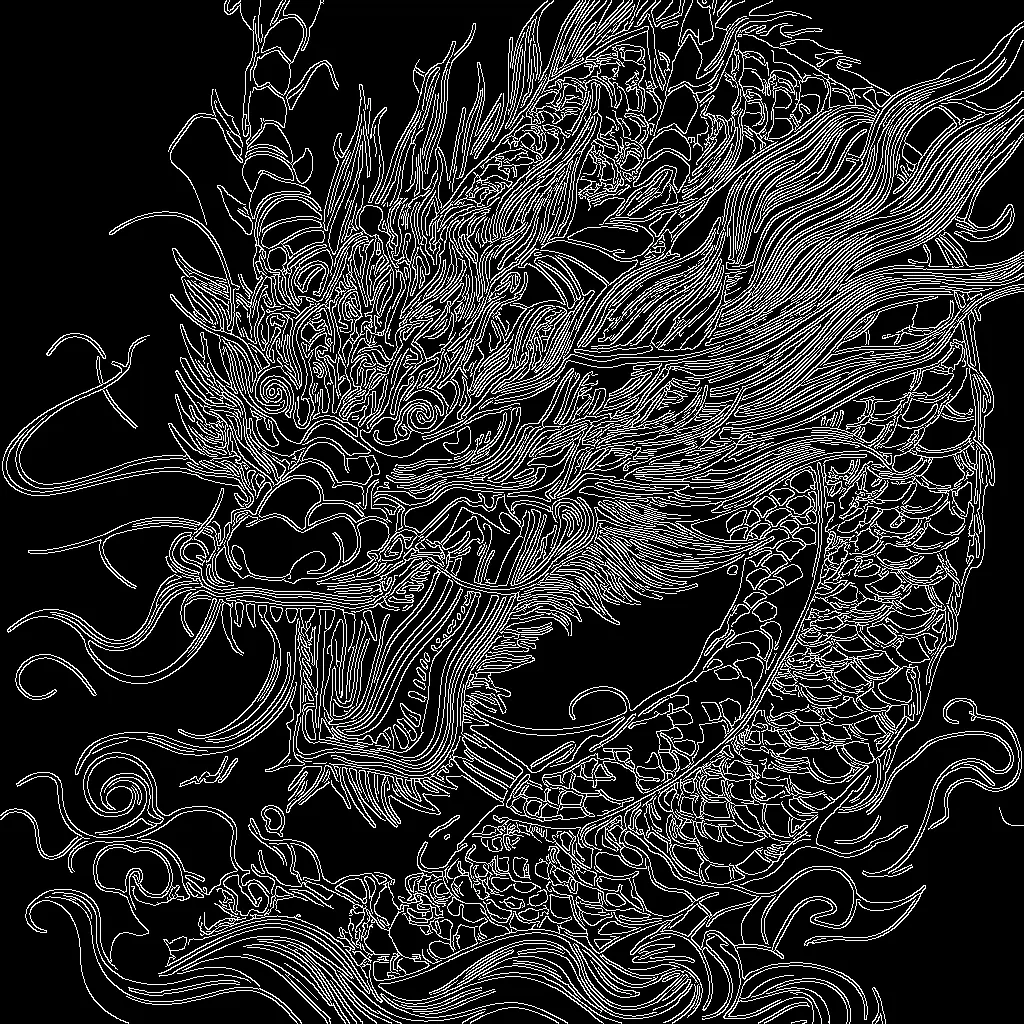

この ComfyUI ワークフローは、Stability AI の SD 3.5 Large モデルと Canny ControlNet を使用し、入力画像のエッジ構造に沿った画像を生成します。パイプラインは SD 3.5 のチェックポイント(CheckpointLoaderSimple)と Canny ControlNet(ControlNetLoader)を読み込み、テキストプロンプトをエンコード(CLIPTextEncode)し、ガイド画像から高コントラストなエッジマップ(Canny)を抽出します。エッジマップは ControlNetApplyAdvanced により構造制約として適用され、KSampler が輪郭を尊重しつつプロンプトに沿った新しいコンテンツを合成します。
技術的には、ターゲット解像度で潜在キャンバス(EmptySD3LatentImage)を作成し、ポジティブプロンプトと ControlNet のエッジガイダンスで条件付けします。簡略化のためにネガティブプロンプトをゼロ化(ConditioningZeroOut)することもできます。サンプリング(KSampler)後、結果を RGB に復号(VAEDecode)し、プレビュー(PreviewImage)して保存(SaveImage)します。ImageScale は、Canny エッジマップを出力サイズに合わせてスケールし、整列を安定させるために含まれています。シルエットや製品輪郭など、構図のコントロールを強く保ちつつ、SD 3.5 にディテール、質感、スタイルを任せたい場合に適しています。
API
このワークフローをコードから利用
すべてのComfyワークフローはJSONグラフです。以下のペイロードは、このワークフローそのものであり、ComfyUIが実行する内容と同じです — このURLから取得し、バージョン管理に保存したり、ComfyUIで読み込んでノードごとに実行できます。
Comfy SDKを使ってTypeScriptまたはPythonから実行できます。同じコードでComfy Cloudや自身でホストしたComfyUIのどちらにも対応 — ベースURLだけが異なります。
// Install (beta)
npm i @comfyorg/sdk

// Run "SD3.5ラージCanny ControlNet" (TypeScript)
import { Comfy } from "@comfyorg/sdk";

const client = new Comfy({ apiKey: "comfyui-..." });

// This workflow, exported in API format (see note below)
const wf = await client.workflows.fromFile("sd3.5_large_canny_controlnet_example_api.json");

const asset = client.assets.fromFile("input.png");
wf.setInput("45", "image", asset);  // LoadImage

wf.setInput("6", "text", "crystal pink dragon on a blue mystery sky, hyperdetailed");  // CLIPTextEncode

const job = await client.run(wf);
await job.getOutputs("9")[0].toFile("output.png");  // SaveImage
SDKはAPI形式のワークフローを受け取ります:このワークフローをComfyUIで開き、「ファイル → ワークフローをエクスポート(API)」を使用してください。
FAQ


















