




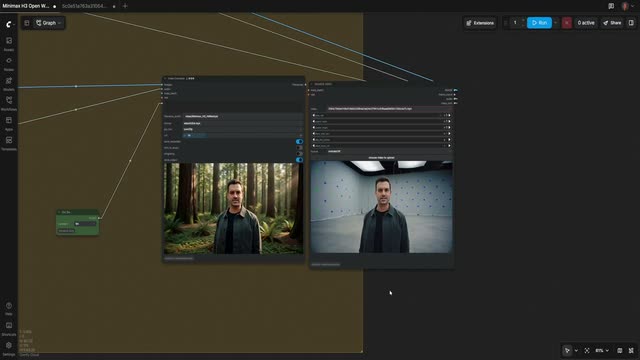



Workstations & render infrastructure
Run ComfyUI on hardware you control. Scope shared infrastructure and deployment with your technical team.
 VFX
VFXRemove objects, build mattes, restyle footage, and upscale shots in workflows you can inspect and extend. Run ComfyUI locally or connect it to your production pipeline.
Compare the source frame with the upscaled result.
Move the divider to compare before and after.











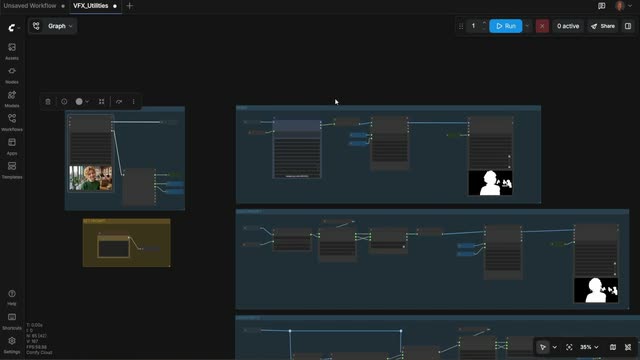
Open the graph, inspect the steps, and adapt it to your footage.
Run ComfyUI on hardware you control. Scope shared infrastructure and deployment with your technical team.
Inspect models, masks, parameters, and processing steps. Keep the workflow editable as the shot evolves.
Run workflow graphs from code and connect them to existing tools. Use the Comfy SDK with Cloud or a ComfyUI you host.
Extend the pipeline through custom nodes and community integrations. Evaluate each integration for your studio’s tools and requirements.
Artists and technical directors at Black Math explain how they build extendable creative systems while keeping art direction with the team.
MANAGED BUILDS
Pin the ComfyUI release, nodes, models, and dependencies. Give your team a consistent build wherever the work runs.
COMFYUI RELEASE
PYTHON · PYTORCH · CUDA
CUSTOM NODES
MODELS
v0.3.41 · py3.12 · torch 2.6
4 nodes · 3 models · pinned
Review the commercial licensing offering for MiniMax and ask Comfy about provider-specific terms for other local models. Model rights depend on the model and intended use.
Discuss Cloud, Developer Platform, or infrastructure you control. Dedicated capacity, onboarding, support, and response commitments are scoped in your enterprise agreement.
Discuss company identity, approved build access, private assets, and your studio’s security requirements with Comfy. Scope the review around your deployment plan.
Follow the cleanplate and sky-replacement walkthroughs when you’re ready to build.
Watch Doug Hogan build a sky-replacement workflow in ComfyUI, then explore the steps and adapt the workflow to your footage.
Explore a cleanplate workflow and see how ComfyUI fits into shot cleanup. Follow the walkthrough before bringing it into your own pipeline.