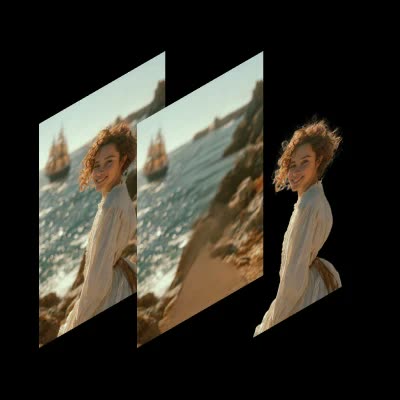
The Qwen-Image-Layered Decomposition workflow is designed to decompose an image into editable RGBA layers, enabling high-fidelity image manipulation. This workflow leverages the Qwen-Image-Layered model to break down images into separate layers, each containing a Red, Green, Blue, and Alpha channel. This decomposition allows for precise control over each layer, making it possible to recolor, replace, resize, or reposition elements within an image without affecting the entire composition. Technically, the workflow utilizes nodes such as SaveImage and LoadImage to manage image file operations, while ImageScaleToMaxDimension ensures images are processed at optimal resolutions. The integration of nodes like f754a936-daaf-4b6e-9658-41fdc54d301d and 1ea4fa01-a81b-4420-a03c-f60019e69a92 facilitates the decomposition process by handling complex image data transformations.
API
Use this workflow from code
Every Comfy workflow is a JSON graph. The payload below is this workflow, exactly as ComfyUI runs it — fetch it from the URL, keep it in version control, or load it in ComfyUI and run it node by node.
Run it from TypeScript or Python with the Comfy SDK. The same code targets Comfy Cloud or a ComfyUI you host yourself — only the base URL changes.
// Install (beta)
npm i @comfyorg/sdk

// Run "Qwen-Image-Layered Decomposition" (TypeScript)
import { Comfy } from "@comfyorg/sdk";

const client = new Comfy({ apiKey: "comfyui-..." });

// This workflow, exported in API format (see note below)
const wf = await client.workflows.fromFile("image_qwen_image_layered_api.json");

const asset = client.assets.fromFile("input.png");
wf.setInput("74", "image", asset);  // LoadImage

const job = await client.run(wf);
await job.getOutputs("60")[0].toFile("output.png");  // SaveImage
The SDK takes a workflow in API format: open this workflow in ComfyUI and use File → Export Workflow (API).
Comfy Cloud API access requires a plan with an API key.
FAQ


















