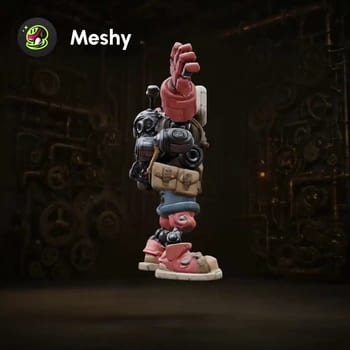
Bu ComfyUI eğitim iş akışı, tek bir 2D görseli Meshy 6 API'siyle üretime hazır bir 3D varlığa nasıl dönüştüreceğinizi gösterir. LoadImage ile referansınız MeshyImageToModelNode'a gönderilir ve görselden doğrudan UV'li, temiz ve su geçirmez bir ağ oluşturulur. Kalite ve detay üzerinde yineleme yapmak için MeshyRefineNode kullanılabilir, PBR dokular MeshyTextureNode ile eklenir ve sonuçlar Preview3D düğümünde gerçek zamanlı olarak görüntülenebilir.
Karakter ve yaratık çalışmaları için MeshyRigModelNode otomatik rigleme yapabilir, MeshyAnimateModelNode ise hızlı önizleme veya turntable için hareket uygular. Sonuç SaveGLB (veya doğrudan Preview3D dışa aktarma kontrolünden) ile GLB olarak dışa aktarılır. İş akışı, Meshy Toolset grubu altında düzenlenmiştir ve tüm üretilen modeller ComfyUI/output/ klasörüne otomatik kaydedilir; böylece DCC araçlarına veya oyun motorlarına sorunsuz aktarım sağlanır.
API
Bu iş akışını koddan kullan
Her Comfy iş akışı bir JSON grafiğidir. Aşağıdaki veri, bu iş akışının tam olarak ComfyUI'da çalıştırıldığı halidir — URL'den alın, sürüm kontrolünde saklayın veya ComfyUI'da yükleyip düğüm düğüm çalıştırın.
Comfy SDK ile TypeScript veya Python'dan çalıştırın. Aynı kod Comfy Cloud veya kendi barındırdığınız bir ComfyUI'ı hedefler — sadece temel URL değişir.
// Install (beta)
npm i @comfyorg/sdk

// Run "Meshy 6: Görüntüden Modele" (TypeScript)
import { Comfy } from "@comfyorg/sdk";

const client = new Comfy({ apiKey: "comfyui-..." });

// This workflow, exported in API format (see note below)
const wf = await client.workflows.fromFile("api_meshy_image_to_model_api.json");

const asset = client.assets.fromFile("input.png");
wf.setInput("8", "image", asset);  // LoadImage

const job = await client.run(wf);
await job.getOutputs("11")[0].toFile("output.png");  // SaveGLB
SDK, API formatında bir iş akışı alır: bu iş akışını ComfyUI'da açın ve Dosya → İş Akışını Dışa Aktar (API) seçeneğini kullanın.
Comfy Cloud API erişimi, API anahtarı içeren bir plan gerektirir.
SSS


















