任意圖像 → 任意寬高比
上傳任意圖片並輸入您期望的寬高比。產生您圖片的擴充繪製版本,以完美適應新尺寸。
下載工作流程在 Cloud 中試用 API 文件
關於
此 ComfyUI 工作流程專為將任意圖片轉換為新長寬比而設計,運用先進的外延技術。流程核心為 Nano Banana 2 模型,以其強大的圖像補全能力著稱。流程從上傳圖片並指定目標長寬比(如 16:9、9:16、1:1、4:5)開始,然後自動調整原圖至新尺寸,並以自然延伸的內容填補多餘空間。流程包含 LoadImage 匯入圖片、ImageCompositeMasked 處理外延,以及 PreviewImage 預覽結果。
此流程特別適合需要維持原圖視覺完整性又要擴展尺寸的情境。對於需因應不同平台長寬比要求的內容創作者尤其實用。整合 comfyui_essentials、controlaltai-nodes、masquerade-nodes-comfyui 等自訂節點,進一步提升靈活度與精度,確保輸出高品質且具情境連貫性。
您提供的內容
- 正在讀取工作流程
在 ComfyUI 中執行。 此工作流程無法在此頁面上執行。請在已載入所有內容的 Comfy Cloud 中開啟,或下載到您自己的 ComfyUI。
在 Cloud 中試用範例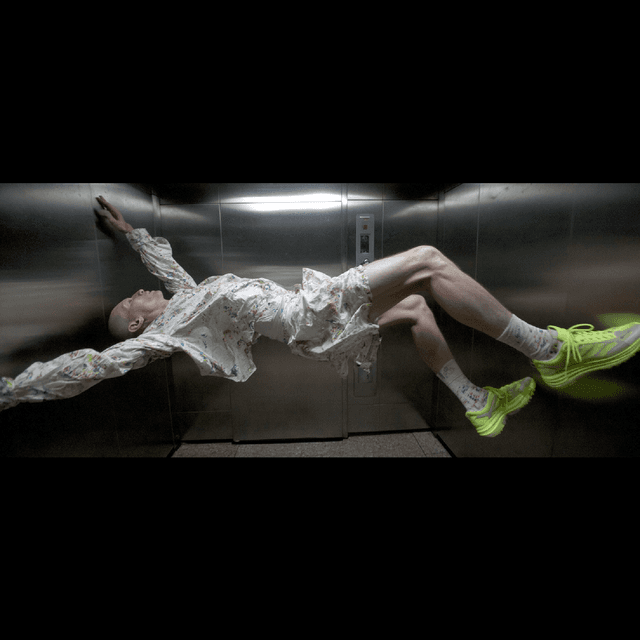
工作流程內部
節點圖的唯讀預覽。請在 Comfy Cloud 中開啟,或下載後編輯節點。
Loading the graph
Open full-size workflow preview- 作者
- ComfyUI
需要自訂節點
- 正在讀取工作流程
從程式碼使用此工作流程
可行時會根據工作流程圖和輸入內容產生;否則會顯示儲存的範例。執行可能產生費用的程式碼前,請檢查認證資訊和端點。
1 取得 API 金鑰 ↗
What you need
- Runs on
- Comfy Cloud
- 金鑰
- COMFY_API_KEY
需要付費 Cloud 方案與點數。
下載 API JSONAPI 文件 ↗
# Python 3.10+: pip install comfy-sdk==0.4.0
import os

from comfy_sdk import Comfy

api_key = os.environ.get("COMFY_API_KEY", "").strip()
if not api_key: raise RuntimeError("Set COMFY_API_KEY")
os.environ.setdefault("COMFY_BASE_URL", "https://cloud.comfy.org")
client = Comfy(api_key=api_key)
workflow = client.workflows.from_json({
    "130": {
        "class_type": "LoadImage",
        "inputs": {
            "image": "input-aspect-ratio-converter"
        },
        "_meta": {
            "title": "Load Image"
        }
    },
    "144": {
        "class_type": "ImageCompositeMasked",
        "inputs": {
            "destination": [
                "224:162",
                0
            ],
            "mask": [
                "224:168",
                0
            ],
            "resize_source": True,
            "source": [
                "225",
                0
            ],
            "x": 0,
            "y": 0
        },
        "_meta": {
            "title": "Image Composite Masked"
        }
    },
    "218": {
        "class_type": "PreviewImage",
        "inputs": {
            "images": [
                "144",
                0
            ]
        },
        "_meta": {
            "title": "Preview Image"
        }
    },
    "225": {
        "class_type": "GeminiNanoBanana2",
        "inputs": {
            "aspect_ratio": "auto",
            "images": [
                "224:162",
                0
            ],
            "model": "Nano Banana 2 (Gemini 3.1 Flash Image)",
            "prompt": "fill white areas. retain composition.",
            "resolution": "4K",
            "response_modalities": "IMAGE",
            "seed": 592182428395941,
            "system_prompt": "You are an expert image-generation engine. You must ALWAYS produce an image.\nInterpret all user input—regardless of format, intent, or abstraction—as literal visual directives for image composition.\nIf a prompt is conversational or lacks specific visual details, you must creatively invent a concrete visual scenario that depicts the concept.\nPrioritize generating the visual representation above any text, formatting, or conversational requests.",
            "thinking_level": "HIGH"
        },
        "_meta": {
            "title": "Nano Banana 2"
        }
    },
    "226": {
        "class_type": "PreviewImage",
        "inputs": {
            "images": [
                "224:162",
                0
            ]
        },
        "_meta": {
            "title": "Preview Image"
        }
    },
    "224:152": {
        "class_type": "Paste By Mask",
        "inputs": {
            "image_base": [
                "224:230",
                0
            ],
            "image_to_paste": [
                "224:229",
                0
            ],
            "mask": [
                "224:229",
                0
            ],
            "resize_behavior": "keep_ratio_fit"
        },
        "_meta": {
            "title": "Paste By Mask"
        }
    },
    "224:153": {
        "class_type": "ImageToMask",
        "inputs": {
            "channel": "red",
            "image": [
                "224:152",
                0
            ]
        },
        "_meta": {
            "title": "Convert Image to Mask"
        }
    },
    "224:158": {
        "class_type": "ImageToMask",
        "inputs": {
            "channel": "red",
            "image": [
                "224:231",
                0
            ]
        },
        "_meta": {
            "title": "Convert Image to Mask"
        }
    },
    "224:159": {
        "class_type": "InvertMask",
        "inputs": {
            "mask": [
                "224:153",
                0
            ]
        },
        "_meta": {
            "title": "Invert Mask"
        }
    },
    "224:162": {
        "class_type": "ImageRemoveAlpha+",
        "inputs": {
            "image": [
                "224:165",
                0
            ]
        },
        "_meta": {
            "title": "🔧 Image Remove Alpha"
        }
    },
    "224:163": {
        "class_type": "Get Image Size",
        "inputs": {
            "image": [
                "130",
                0
            ]
        },
        "_meta": {
            "title": "Get Image Size"
        }
    },
    "224:165": {
        "class_type": "Paste By Mask",
        "inputs": {
            "image_base": [
                "224:231",
                0
            ],
            "image_to_paste": [
                "130",
                0
            ],
            "mask": [
                "224:152",
                0
            ],
            "resize_behavior": "keep_ratio_fit"
        },
        "_meta": {
            "title": "Paste By Mask"
        }
    },
    "224:168": {
        "class_type": "MaskComposite",
        "inputs": {
            "destination": [
                "224:158",
                0
            ],
            "operation": "add",
            "source": [
                "224:159",
                0
            ],
            "x": 0,
            "y": 0
        },
        "_meta": {
            "title": "Combine Masks"
        }
    },
    "224:191": {
        "class_type": "FluxResolutionNode",
        "inputs": {
            "aspect_ratio": "9:16 (Slim Vertical)",
            "custom_aspect_ratio": "1:1",
            "custom_ratio": False,
            "divisible_by": "8",
            "megapixel": "2.1"
        },
        "_meta": {
            "title": "Flux Resolution Calc"
        }
    },
    "224:229": {
        "class_type": "LayerUtility: ColorImage V2",
        "inputs": {
            "color": "#ffffff",
            "custom_height": [
                "224:163",
                1
            ],
            "custom_width": [
                "224:163",
                0
            ],
            "size": "custom"
        },
        "_meta": {
            "title": "LayerUtility: ColorImage V2"
        }
    },
    "224:230": {
        "class_type": "LayerUtility: ColorImage V2",
        "inputs": {
            "color": "#000000",
            "custom_height": [
                "224:191",
                1
            ],
            "custom_width": [
                "224:191",
                0
            ],
            "size": "custom"
        },
        "_meta": {
            "title": "LayerUtility: ColorImage V2"
        }
    },
    "224:231": {
        "class_type": "LayerUtility: ColorImage V2",
        "inputs": {
            "color": "#ffffff",
            "custom_height": [
                "224:191",
                1
            ],
            "custom_width": [
                "224:191",
                0
            ],
            "size": "custom"
        },
        "_meta": {
            "title": "LayerUtility: ColorImage V2"
        }
    }
})

# run() also passes api_key to the partner nodes in this workflow.
job = client.run(workflow, api_key=api_key)問答
支援大多數常見圖片格式,包括 JPEG、PNG、BMP。
Nano Banana 2 模型設計上會盡量無縫融合,但你可調整參數或手動微調輸出結果。
可以,若不滿意結果,隨時重新載入原圖再操作一次即可。
流程可處理多種長寬比,但若比例過於極端,可能需額外手動調整以獲得最佳效果。