人像重光
上傳您的目標圖像和參考光照圖像。為目標圖像重新打光。
下載工作流程在 Cloud 中試用 API 文件
關於
ComfyUI 的「Portrait Relight」工作流程用參考影像來改變目標影像的打光,以強化影像表現。此工作流程使用 Qwen-Image-Edit 模型,智慧地調整目標影像的光線,使其看起來像是在參考影像的光照條件下拍攝。流程包含多個關鍵節點,例如用於匯入影像的 LoadImage 節點,以及用於匯出最終結果的 SaveImage 節點。這個工作流程特別適合攝影師與數位創作者:用來讓不同影像的光線一致,或在不需要實體燈具的情況下,嘗試不同的創意打光效果。
您提供的內容
- 正在讀取工作流程
在 ComfyUI 中執行。 此工作流程無法在此頁面上執行。請在已載入所有內容的 Comfy Cloud 中開啟,或下載到您自己的 ComfyUI。
在 Cloud 中試用範例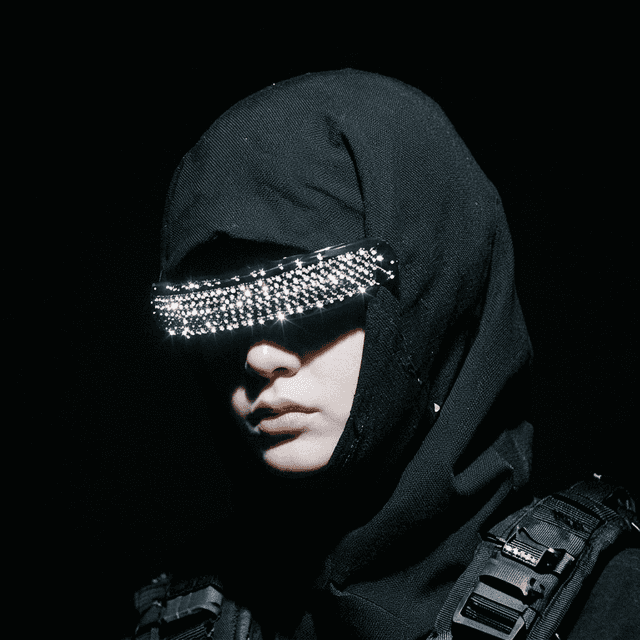
工作流程內部
節點圖的唯讀預覽。請在 Comfy Cloud 中開啟,或下載後編輯節點。
從程式碼使用此工作流程
可行時會根據工作流程圖和輸入內容產生;否則會顯示儲存的範例。執行可能產生費用的程式碼前,請檢查認證資訊和端點。
1 取得 API 金鑰 ↗
What you need
- Runs on
- Comfy Cloud
- 金鑰
- COMFY_API_KEY
需要付費 Cloud 方案與點數。
下載 API JSONAPI 文件 ↗
# Python 3.10+: pip install comfy-sdk==0.4.0
import os

from comfy_sdk import Comfy

api_key = os.environ.get("COMFY_API_KEY", "").strip()
if not api_key: raise RuntimeError("Set COMFY_API_KEY")
os.environ.setdefault("COMFY_BASE_URL", "https://cloud.comfy.org")
client = Comfy(api_key=api_key)
workflow = client.workflows.from_json({
    "5": {
        "class_type": "SaveImage",
        "inputs": {
            "filename_prefix": "ComfyUI-light_migration",
            "images": [
                "1:76",
                0
            ]
        },
        "_meta": {
            "title": "Save Image"
        }
    },
    "6": {
        "class_type": "LoadImage",
        "inputs": {
            "image": "input_2-relight.png"
        },
        "_meta": {
            "title": "Load Lighting Image"
        }
    },
    "7": {
        "class_type": "LoadImage",
        "inputs": {
            "image": "input_1-relight.png"
        },
        "_meta": {
            "title": "Load Subject Image"
        }
    },
    "1:101": {
        "class_type": "LoraLoaderModelOnly",
        "inputs": {
            "lora_name": "Qwen-Image-Edit-2509-Light-Migration.safetensors",
            "model": [
                "1:89",
                0
            ],
            "strength_model": 1
        },
        "_meta": {
            "title": "Load LoRA"
        }
    },
    "1:102": {
        "class_type": "TextEncodeQwenImageEditPlus",
        "inputs": {
            "clip": [
                "1:38",
                0
            ],
            "image1": [
                "1:104",
                0
            ],
            "image2": [
                "1:105",
                0
            ],
            "prompt": "",
            "vae": [
                "1:39",
                0
            ]
        },
        "_meta": {
            "title": "Text Encode Qwen Image Edit Plus"
        }
    },
    "1:103": {
        "class_type": "TextEncodeQwenImageEditPlus",
        "inputs": {
            "clip": [
                "1:38",
                0
            ],
            "image1": [
                "1:104",
                0
            ],
            "image2": [
                "1:105",
                0
            ],
            "prompt": "参考色调,移除图1原有的光照并参考图2的光照和色调对图1重新照明",
            "vae": [
                "1:39",
                0
            ]
        },
        "_meta": {
            "title": "Text Encode Qwen Image Edit Plus"
        }
    },
    "1:104": {
        "class_type": "ImageScaleToTotalPixels",
        "inputs": {
            "image": [
                "7",
                0
            ],
            "megapixels": 1,
            "resolution_steps": 1,
            "upscale_method": "lanczos"
        },
        "_meta": {
            "title": "Scale Image to Total Pixels"
        }
    },
    "1:105": {
        "class_type": "ImageScaleToTotalPixels",
        "inputs": {
            "image": [
                "6",
                0
            ],
            "megapixels": 1,
            "resolution_steps": 1,
            "upscale_method": "nearest-exact"
        },
        "_meta": {
            "title": "Scale Image to Total Pixels"
        }
    },
    "1:108": {
        "class_type": "RepeatLatentBatch",
        "inputs": {
            "amount": 1,
            "samples": [
                "1:88",
                0
            ]
        },
        "_meta": {
            "title": "Repeat Latent Batch"
        }
    },
    "1:3": {
        "class_type": "KSampler",
        "inputs": {
            "cfg": 1,
            "denoise": 1,
            "latent_image": [
                "1:108",
                0
            ],
            "model": [
                "1:75",
                0
            ],
            "negative": [
                "1:103",
                0
            ],
            "positive": [
                "1:102",
                0
            ],
            "sampler_name": "euler",
            "scheduler": "simple",
            "seed": 260787325020957,
            "steps": 8
        },
        "_meta": {
            "title": "KSampler"
        }
    },
    "1:37": {
        "class_type": "UNETLoader",
        "inputs": {
            "unet_name": "qwen_image_edit_2509_fp8_e4m3fn.safetensors",
            "weight_dtype": "default"
        },
        "_meta": {
            "title": "Load Diffusion Model"
        }
    },
    "1:38": {
        "class_type": "CLIPLoader",
        "inputs": {
            "clip_name": "qwen_2.5_vl_7b_fp8_scaled.safetensors",
            "device": "default",
            "type": "qwen_image"
        },
        "_meta": {
            "title": "Load CLIP"
        }
    },
    "1:39": {
        "class_type": "VAELoader",
        "inputs": {
            "vae_name": "qwen_image_vae.safetensors"
        },
        "_meta": {
            "title": "Load VAE"
        }
    },
    "1:66": {
        "class_type": "ModelSamplingAuraFlow",
        "inputs": {
            "model": [
                "1:101",
                0
            ],
            "sampling": "flow",
            "shift": 3
        },
        "_meta": {
            "title": "ModelSamplingAuraFlow"
        }
    },
    "1:75": {
        "class_type": "CFGNorm",
        "inputs": {
            "model": [
                "1:66",
                0
            ],
            "pre_cfg": False,
            "strength": 1
        },
        "_meta": {
            "title": "CFGNorm"
        }
    },
    "1:76": {
        "class_type": "VAEDecode",
        "inputs": {
            "samples": [
                "1:3",
                0
            ],
            "vae": [
                "1:39",
                0
            ]
        },
        "_meta": {
            "title": "VAE Decode"
        }
    },
    "1:88": {
        "class_type": "VAEEncode",
        "inputs": {
            "pixels": [
                "1:104",
                0
            ],
            "vae": [
                "1:39",
                0
            ]
        },
        "_meta": {
            "title": "VAE Encode"
        }
    },
    "1:89": {
        "class_type": "LoraLoaderModelOnly",
        "inputs": {
            "lora_name": "Qwen-Image-Edit-2509-Lightning-8steps-V1.0-bf16.safetensors",
            "model": [
                "1:37",
                0
            ],
            "strength_model": 1
        },
        "_meta": {
            "title": "Load LoRA"
        }
    }
})

# run() also passes api_key to the partner nodes in this workflow.
job = client.run(workflow, api_key=api_key)問答
具有清楚光影與陰影細節的人像通常效果最好,模型能更有效調整以符合參考光線。
可以。雖然針對人像最佳化,但也能套用在任何需要調整光線的影像。
不需要特殊硬體,但 GPU 能大幅加快處理速度,尤其是高解析度影像。
你可以在工作流程中附加額外的影像編輯提示詞指令,以保留特定細節,例如在重打光時保留邊緣等。