Krea-2: 텍스트 → 이미지
Krea 2로 텍스트 프롬프트에서 이미지를 생성하세요. 미적 품질과 창의적 제어에 특화된 파운데이션 모델로, 표현력 있는 예술 스타일 렌더링에 중점을 둡니다. 컨셉 아트 탐색, 시각적 브레인스토밍, 디자인 프로젝트용 스타일 이미지 제작에 적합합니다.
Loading the grid…
Explore more grids
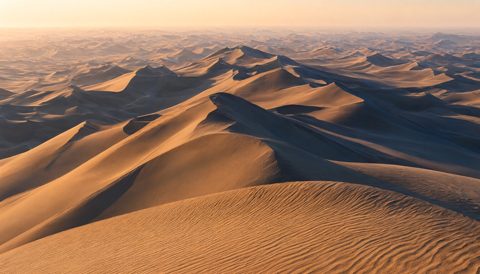
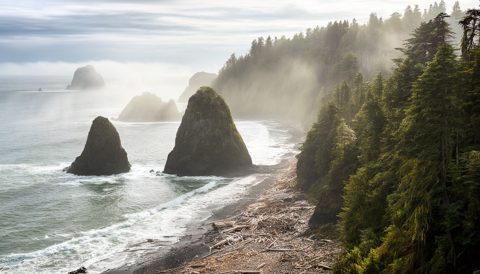
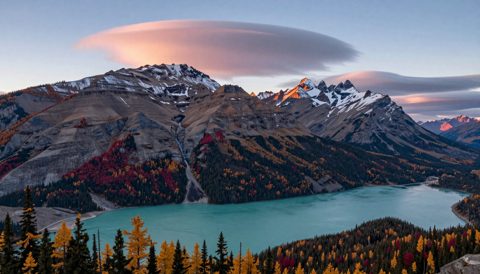
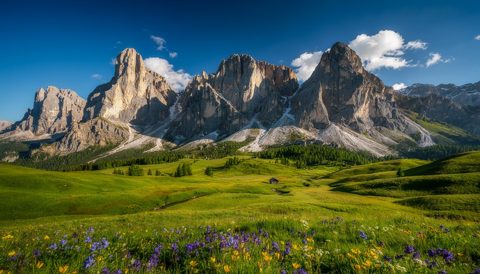
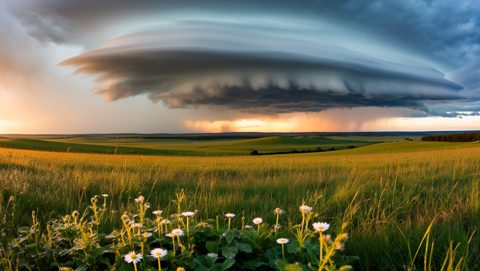
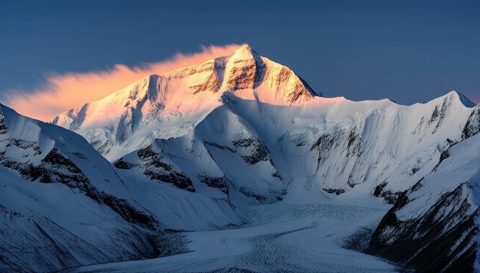
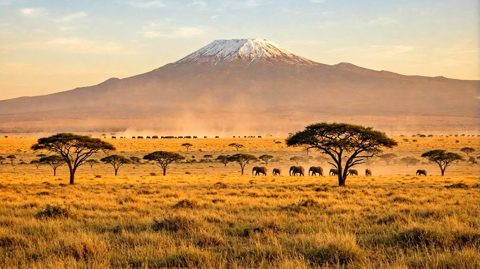
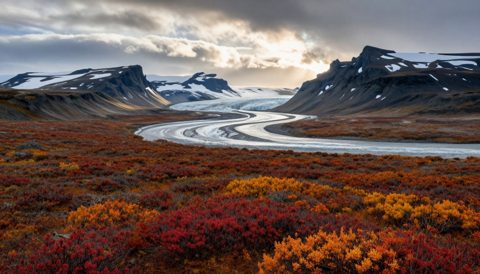
워크플로 내부
소스 템플릿의 읽기 전용 미리보기입니다. Cloud에서 열어 노드를 살펴보고 변경할 수 있습니다.
코드에서 이 모델 호출하기
아래 요청은 Playground와 동일하게 준비된 그래프와 설정을 사용합니다. 제출할 때마다 유료 실행이 시작될 수 있으므로 결과를 알 수 없는 제출을 자동으로 재시도하지 마세요.
What you need
- Runs on
- Comfy Cloud
- 키
- COMFY_API_KEY
유료 Cloud 요금제와 크레딧이 필요합니다.
# Python 3.10+: pip install comfy-sdk==0.4.0
import os

from comfy_sdk import Comfy

api_key = os.environ.get("COMFY_API_KEY", "").strip()
if not api_key: raise RuntimeError("Set COMFY_API_KEY")
os.environ.setdefault("COMFY_BASE_URL", "https://cloud.comfy.org")
client = Comfy(api_key=api_key)
workflow = client.workflows.from_json({
    "29": {
        "class_type": "SaveImage",
        "inputs": {
            "filename_prefix": "Krea2_turbo",
            "images": [
                "30:8",
                0
            ]
        },
        "_meta": {
            "title": "Save Image"
        }
    },
    "49": {
        "class_type": "ResolutionSelector",
        "inputs": {
            "aspect_ratio": "16:9 (Widescreen)",
            "megapixels": 1,
            "multiple": 8
        },
        "_meta": {
            "title": "Resolution Selector"
        }
    },
    "30:10": {
        "class_type": "UNETLoader",
        "inputs": {
            "unet_name": "krea2_turbo_fp8_scaled.safetensors",
            "weight_dtype": "default"
        },
        "_meta": {
            "title": "Load Diffusion Model"
        }
    },
    "30:11": {
        "class_type": "CLIPLoader",
        "inputs": {
            "clip_name": "qwen3vl_4b_fp8_scaled.safetensors",
            "device": "default",
            "type": "krea2"
        },
        "_meta": {
            "title": "Load CLIP"
        }
    },
    "30:12": {
        "class_type": "VAELoader",
        "inputs": {
            "vae_name": "qwen_image_vae.safetensors"
        },
        "_meta": {
            "title": "Load VAE"
        }
    },
    "30:13": {
        "class_type": "ConditioningZeroOut",
        "inputs": {
            "conditioning": [
                "30:6",
                0
            ]
        },
        "_meta": {
            "title": "Conditioning Zero Out"
        }
    },
    "30:15": {
        "class_type": "LoraLoaderModelOnly",
        "inputs": {
            "lora_name": "krea2_darkbrush.safetensors",
            "model": [
                "30:10",
                0
            ],
            "strength_model": 0.8
        },
        "_meta": {
            "title": "Load LoRA"
        }
    },
    "30:16": {
        "class_type": "TextGenerate",
        "inputs": {
            "clip": [
                "30:11",
                0
            ],
            "max_length": 512,
            "mtp": "auto",
            "prompt": [
                "30:17",
                0
            ],
            "sampling_mode": "on",
            "sampling_mode.min_p": 0.05,
            "sampling_mode.presence_penalty": 0,
            "sampling_mode.repetition_penalty": 1.05,
            "sampling_mode.seed": 0,
            "sampling_mode.temperature": 0.7,
            "sampling_mode.top_k": 64,
            "sampling_mode.top_p": 0.95,
            "thinking": False,
            "use_default_template": True
        },
        "_meta": {
            "title": "Generate Text"
        }
    },
    "30:17": {
        "class_type": "StringConcatenate",
        "inputs": {
            "delimiter": "",
            "string_a": [
                "30:18",
                0
            ],
            "string_b": [
                "30:19",
                0
            ]
        },
        "_meta": {
            "title": "Concatenate Text"
        }
    },
    "30:18": {
        "class_type": "PrimitiveStringMultiline",
        "inputs": {
            "value": "You are an expert prompt engineer for text-to-image models. Your task is to expand the user's prompt into a highly effective image-generation prompt.\n\nThink step by step about the request before writing the answer:\n- What is the subject and mood?\n- What visual styles, mediums, and lighting options would fit? Consider two or three alternatives and pick the one that best serves the caption.\n- What composition, framing, and grounded details will help the text-to-image model?\n\nThen output a single expanded prompt paragraph.\n\nFollow these rules strictly:\n1. **Faithfulness First:** Preserve all original subjects, actions, colors, and spatial relationships. Do not add new objects, props, characters, or animals unless the user clearly implies them.\n2. **Practical T2I Structure:** Write a prompt that a text-to-image model can parse cleanly. Group subjects with their own attributes and actions. Use grounded phrasing for poses, interactions, and spatial layout.\n3. **Style Planning Stays Internal:** Use your internal reasoning to choose style, medium, framing, and lighting. Do not emit planning tags or wrappers in the visible answer body.\n4. **Text Rendering:** If the user requests visible text, quotes, labels, or typography, specify the exact text clearly and wrap requested words in quotes.\n5. **Avoid Over-Specification:** Do not invent highly specific clothing, colors, materials, or scene details unless the input supports them.\n6. **Structure:** Write one cohesive paragraph after the thinking block. No bullets, JSON, or markdown.\n7. **Respect Existing Detail:** If the user's prompt is already detailed, lightly polish and finalize rather than heavily expanding — preserve their phrasing and direction.\n8. **Respect the Human Form:** Treat depictions of people with dignity. Assume clothing covers genitals and intimate anatomy.\n9. **Preserve User Medium:** When the user explicitly requests a medium (e.g. \"photo of\", \"photograph of\", \"illustration of\", \"painting of\", \"sketch of\", \"3D render of\"), honor it. Do not pivot to a different medium to avoid difficulty — match the user's stated intent.\n\nUser's Input:\n\n"
        },
        "_meta": {
            "title": "Text String (System Prompt)"
        }
    },
    "30:19": {
        "class_type": "PrimitiveStringMultiline",
        "inputs": {
            "value": "A dramatic studio still life stretches across a sweeping field of view, featuring a solitary midnight-black dahlia reclined over a rugged slab of wet volcanic basalt. Harsh chiaroscuro side-lighting carves deep, velvety shadows and catches glistening moisture droplets across coarse mineral striations. Cascading over the ruffled, paper-thin petals is an exquisite yellow-gold collar necklace encrusted with deep blue sapphires and pear-cut diamonds. Gleaming metallic sheens and rich jewel tones sharply contrast the jagged, porous charcoal rock beneath. Negative space drifts into deep umber shadows across the wide tabletop plane, establishing a somber, luxurious mood with selective razor-thin focus on the hand-crafted filigree metalwork and the flower's dark, delicate folds."
        },
        "_meta": {
            "title": "Text String (User Prompt)"
        }
    },
    "30:20": {
        "class_type": "PreviewAny",
        "inputs": {
            "source": [
                "30:21",
                0
            ]
        },
        "_meta": {
            "title": "Preview as Text"
        }
    },
    "30:21": {
        "class_type": "ComfySwitchNode",
        "inputs": {
            "on_false": [
                "30:19",
                0
            ],
            "on_true": [
                "30:16",
                0
            ],
            "switch": [
                "30:24",
                0
            ]
        },
        "_meta": {
            "title": "If/Else Switch"
        }
    },
    "30:22": {
        "class_type": "ComfySwitchNode",
        "inputs": {
            "on_false": [
                "30:10",
                0
            ],
            "on_true": [
                "30:15",
                0
            ],
            "switch": [
                "30:23",
                0
            ]
        },
        "_meta": {
            "title": "Switch (Model)"
        }
    },
    "30:23": {
        "class_type": "PrimitiveBoolean",
        "inputs": {
            "value": False
        },
        "_meta": {
            "title": "Boolean (Enable LoRA?)"
        }
    },
    "30:24": {
        "class_type": "PrimitiveBoolean",
        "inputs": {
            "value": True
        },
        "_meta": {
            "title": "Boolean (Refine Prompt?)"
        }
    },
    "30:27": {
        "class_type": "StringConcatenate",
        "inputs": {
            "delimiter": ", ",
            "string_a": [
                "30:20",
                0
            ],
            "string_b": "muted minimalist sketch style"
        },
        "_meta": {
            "title": "Concatenate Text (LoRA Trigger Word)"
        }
    },
    "30:28": {
        "class_type": "ComfySwitchNode",
        "inputs": {
            "on_false": [
                "30:20",
                0
            ],
            "on_true": [
                "30:27",
                0
            ],
            "switch": [
                "30:23",
                0
            ]
        },
        "_meta": {
            "title": "If/Else Switch"
        }
    },
    "30:3": {
        "class_type": "KSampler",
        "inputs": {
            "cfg": 1,
            "denoise": 1,
            "latent_image": [
                "30:5",
                0
            ],
            "model": [
                "30:22",
                0
            ],
            "negative": [
                "30:13",
                0
            ],
            "positive": [
                "30:6",
                0
            ],
            "sampler_name": "euler",
            "scheduler": "simple",
            "seed": 397747871968973,
            "steps": 8
        },
        "_meta": {
            "title": "KSampler"
        }
    },
    "30:5": {
        "class_type": "EmptyLatentImage",
        "inputs": {
            "batch_size": 1,
            "height": [
                "49",
                1
            ],
            "width": [
                "49",
                0
            ]
        },
        "_meta": {
            "title": "Empty Latent Image"
        }
    },
    "30:6": {
        "class_type": "CLIPTextEncode",
        "inputs": {
            "clip": [
                "30:11",
                0
            ],
            "text": [
                "30:28",
                0
            ]
        },
        "_meta": {
            "title": "CLIP Text Encode (Prompt)"
        }
    },
    "30:8": {
        "class_type": "VAEDecode",
        "inputs": {
            "samples": [
                "30:3",
                0
            ],
            "vae": [
                "30:12",
                0
            ]
        },
        "_meta": {
            "title": "VAE Decode"
        }
    }
})

# run() also passes api_key to the partner nodes in this workflow.
job = client.run(workflow, api_key=api_key)
for output in job.get_outputs("29"):
output.to_file(output.name)예시 사용해 보기
이 워크플로 정보
이 워크플로우는 Krea-2 Turbo(속도와 표현력에 최적화된 텍스트→이미지 모델)를 사용해 텍스트 프롬프트를 이미지로 변환합니다. ResolutionSelector로 가로/세로 비율을 프리셋으로 쉽게 바꿀 수 있고, 선택적 스타일 LoRA로 창의적 제어가 가능합니다. SaveImage 노드는 완성 이미지를 ComfyUI/output 폴더에 저장합니다. 그래프 내 MarkdownNote는 공식 Krea-2 모델 및 LoRA 리소스 링크를 제공해 필요한 파일을 쉽게 설치할 수 있습니다.
기술적으로, 프롬프트는 Krea‑2 Turbo 추론 노드(b0e5ca93-2731-42b9-8e0a-d28ea851ff81)로 전달되며, krea2_turbo_fp8_scaled.safetensors 등 디퓨전 체크포인트를 불러옵니다. ComfyUI/models/loras의 스타일 LoRA를 선택하면 샘플링 중 스타일이 적용됩니다. ResolutionSelector 서브그래프는 Krea‑2 노드에 맞는 가로/세로 쌍을 출력해 일반적인 크기로 안정적으로 생성할 수 있습니다. 이미지 텐서는 SaveImage로 전달되어 번호가 붙은 파일로 저장되고, 재현성을 위한 메타데이터도 포함됩니다. 그래프는 컴팩트한 서브그래프로 그룹화되어 단일 컨트롤 패널에서 작업할 수 있습니다.
컨셉 아트·시각적 브레인스토밍에 특히 유용합니다: 아이디어를 시작으로 스타일 LoRA를 토글해 다양한 룩을 탐색하고, 시드를 반복하며, 해상도 프리셋을 고정해 디자인 작업에 활용하세요. 제어력을 높이려면 프롬프트에 LoRA 트리거 단어를 포함하고, LoRA 가중치는 0.6 정도로 시작해 미세 조정하세요. Krea‑2 및 LoRA 문서에서 모델·스타일 목록을 참고하세요.
질문과 답변
Krea-2 Turbo 체크포인트(예: krea2_turbo_fp8_scaled.safetensors)는 ComfyUI/models/checkpoints에, 스타일 LoRA는 ComfyUI/models/loras에 넣으세요. ComfyUI를 재시작하면 파일이 인식됩니다.
Krea-2 노드에서 하나 이상 LoRA를 선택하고, 각 LoRA의 트리거 단어를 프롬프트에 포함하세요. 가중치는 0.6 정도로 시작해 여러 스타일을 조절하세요. 트리거 단어와 권장 범위는 Hugging Face 리포지토리의 LoRA 표를 참고하세요.
ResolutionSelector를 사용하세요. 프리셋으로 맞는 가로/세로 값을 출력하므로 수동 계산이 필요 없습니다. 원하는 용도에 맞는 프리셋을 선택해 재생성하세요. 선명한 결과를 원하면 타깃 비율로 바로 생성하는 것이 좋습니다.
Krea-2 노드(노출 시)에 Seed를 고정하고, 프롬프트·모델·LoRA·해상도를 동일하게 유지하세요. 노드에 guidance나 step 컨트롤이 있다면, guidance를 높이면 프롬프트 반영력이, step을 조정하면 부드러움이 개선될 수 있습니다.