Krea-2:文字轉圖像
用 Krea 2 文字提示生成圖像,這是一款專為美學品質與創意控制打造的基礎模型,著重表現力與藝術風格。適合概念美術探索、視覺腦力激盪與設計專案風格化圖像創作。
Loading the grid…
Explore more grids
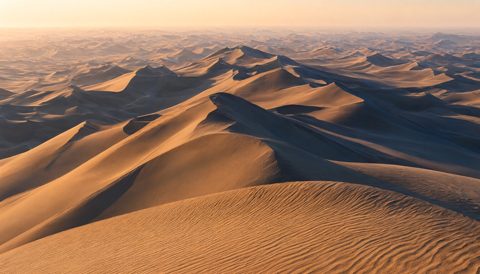
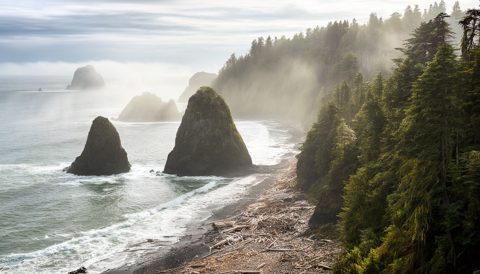

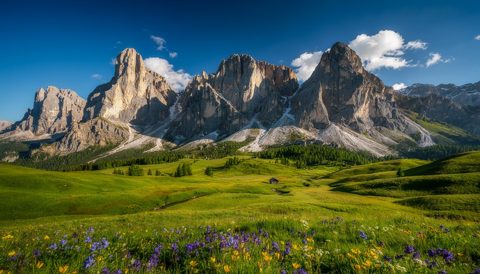
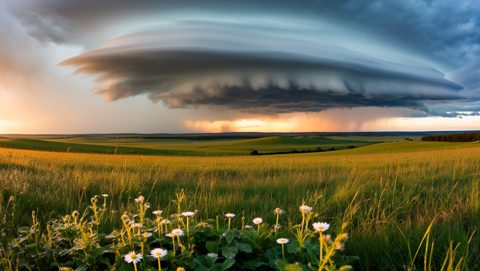

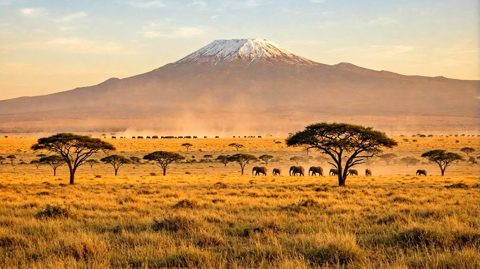
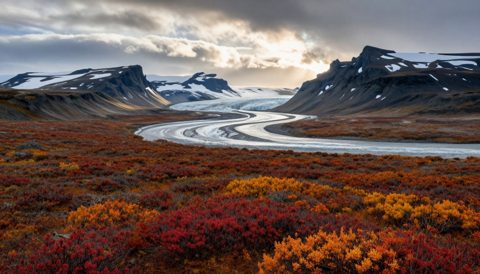
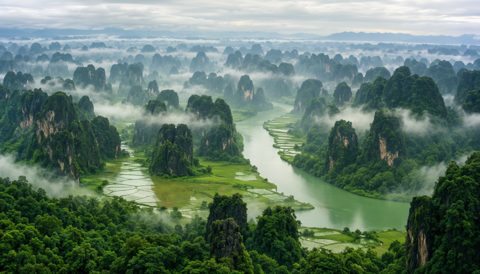
工作流程內部
來源範本的唯讀預覽。請在 Cloud 中開啟,以探索節點並進行變更。
從您的程式碼呼叫此模型
以下請求使用與 Playground 相同的已準備節點圖和設定。每次提交都可能啟動付費執行;若提交結果不明,請勿自動重試提交。
What you need
- Runs on
- Comfy Cloud
- 金鑰
- COMFY_API_KEY
需要付費 Cloud 方案與點數。
# Python 3.10+: pip install comfy-sdk==0.4.0
import os

from comfy_sdk import Comfy

api_key = os.environ.get("COMFY_API_KEY", "").strip()
if not api_key: raise RuntimeError("Set COMFY_API_KEY")
os.environ.setdefault("COMFY_BASE_URL", "https://cloud.comfy.org")
client = Comfy(api_key=api_key)
workflow = client.workflows.from_json({
    "29": {
        "class_type": "SaveImage",
        "inputs": {
            "filename_prefix": "Krea2_turbo",
            "images": [
                "30:8",
                0
            ]
        },
        "_meta": {
            "title": "Save Image"
        }
    },
    "49": {
        "class_type": "ResolutionSelector",
        "inputs": {
            "aspect_ratio": "16:9 (Widescreen)",
            "megapixels": 1,
            "multiple": 8
        },
        "_meta": {
            "title": "Resolution Selector"
        }
    },
    "30:10": {
        "class_type": "UNETLoader",
        "inputs": {
            "unet_name": "krea2_turbo_fp8_scaled.safetensors",
            "weight_dtype": "default"
        },
        "_meta": {
            "title": "Load Diffusion Model"
        }
    },
    "30:11": {
        "class_type": "CLIPLoader",
        "inputs": {
            "clip_name": "qwen3vl_4b_fp8_scaled.safetensors",
            "device": "default",
            "type": "krea2"
        },
        "_meta": {
            "title": "Load CLIP"
        }
    },
    "30:12": {
        "class_type": "VAELoader",
        "inputs": {
            "vae_name": "qwen_image_vae.safetensors"
        },
        "_meta": {
            "title": "Load VAE"
        }
    },
    "30:13": {
        "class_type": "ConditioningZeroOut",
        "inputs": {
            "conditioning": [
                "30:6",
                0
            ]
        },
        "_meta": {
            "title": "Conditioning Zero Out"
        }
    },
    "30:15": {
        "class_type": "LoraLoaderModelOnly",
        "inputs": {
            "lora_name": "krea2_darkbrush.safetensors",
            "model": [
                "30:10",
                0
            ],
            "strength_model": 0.8
        },
        "_meta": {
            "title": "Load LoRA"
        }
    },
    "30:16": {
        "class_type": "TextGenerate",
        "inputs": {
            "clip": [
                "30:11",
                0
            ],
            "max_length": 512,
            "mtp": "auto",
            "prompt": [
                "30:17",
                0
            ],
            "sampling_mode": "on",
            "sampling_mode.min_p": 0.05,
            "sampling_mode.presence_penalty": 0,
            "sampling_mode.repetition_penalty": 1.05,
            "sampling_mode.seed": 0,
            "sampling_mode.temperature": 0.7,
            "sampling_mode.top_k": 64,
            "sampling_mode.top_p": 0.95,
            "thinking": False,
            "use_default_template": True
        },
        "_meta": {
            "title": "Generate Text"
        }
    },
    "30:17": {
        "class_type": "StringConcatenate",
        "inputs": {
            "delimiter": "",
            "string_a": [
                "30:18",
                0
            ],
            "string_b": [
                "30:19",
                0
            ]
        },
        "_meta": {
            "title": "Concatenate Text"
        }
    },
    "30:18": {
        "class_type": "PrimitiveStringMultiline",
        "inputs": {
            "value": "You are an expert prompt engineer for text-to-image models. Your task is to expand the user's prompt into a highly effective image-generation prompt.\n\nThink step by step about the request before writing the answer:\n- What is the subject and mood?\n- What visual styles, mediums, and lighting options would fit? Consider two or three alternatives and pick the one that best serves the caption.\n- What composition, framing, and grounded details will help the text-to-image model?\n\nThen output a single expanded prompt paragraph.\n\nFollow these rules strictly:\n1. **Faithfulness First:** Preserve all original subjects, actions, colors, and spatial relationships. Do not add new objects, props, characters, or animals unless the user clearly implies them.\n2. **Practical T2I Structure:** Write a prompt that a text-to-image model can parse cleanly. Group subjects with their own attributes and actions. Use grounded phrasing for poses, interactions, and spatial layout.\n3. **Style Planning Stays Internal:** Use your internal reasoning to choose style, medium, framing, and lighting. Do not emit planning tags or wrappers in the visible answer body.\n4. **Text Rendering:** If the user requests visible text, quotes, labels, or typography, specify the exact text clearly and wrap requested words in quotes.\n5. **Avoid Over-Specification:** Do not invent highly specific clothing, colors, materials, or scene details unless the input supports them.\n6. **Structure:** Write one cohesive paragraph after the thinking block. No bullets, JSON, or markdown.\n7. **Respect Existing Detail:** If the user's prompt is already detailed, lightly polish and finalize rather than heavily expanding — preserve their phrasing and direction.\n8. **Respect the Human Form:** Treat depictions of people with dignity. Assume clothing covers genitals and intimate anatomy.\n9. **Preserve User Medium:** When the user explicitly requests a medium (e.g. \"photo of\", \"photograph of\", \"illustration of\", \"painting of\", \"sketch of\", \"3D render of\"), honor it. Do not pivot to a different medium to avoid difficulty — match the user's stated intent.\n\nUser's Input:\n\n"
        },
        "_meta": {
            "title": "Text String (System Prompt)"
        }
    },
    "30:19": {
        "class_type": "PrimitiveStringMultiline",
        "inputs": {
            "value": "A dramatic studio still life stretches across a sweeping field of view, featuring a solitary midnight-black dahlia reclined over a rugged slab of wet volcanic basalt. Harsh chiaroscuro side-lighting carves deep, velvety shadows and catches glistening moisture droplets across coarse mineral striations. Cascading over the ruffled, paper-thin petals is an exquisite yellow-gold collar necklace encrusted with deep blue sapphires and pear-cut diamonds. Gleaming metallic sheens and rich jewel tones sharply contrast the jagged, porous charcoal rock beneath. Negative space drifts into deep umber shadows across the wide tabletop plane, establishing a somber, luxurious mood with selective razor-thin focus on the hand-crafted filigree metalwork and the flower's dark, delicate folds."
        },
        "_meta": {
            "title": "Text String (User Prompt)"
        }
    },
    "30:20": {
        "class_type": "PreviewAny",
        "inputs": {
            "source": [
                "30:21",
                0
            ]
        },
        "_meta": {
            "title": "Preview as Text"
        }
    },
    "30:21": {
        "class_type": "ComfySwitchNode",
        "inputs": {
            "on_false": [
                "30:19",
                0
            ],
            "on_true": [
                "30:16",
                0
            ],
            "switch": [
                "30:24",
                0
            ]
        },
        "_meta": {
            "title": "If/Else Switch"
        }
    },
    "30:22": {
        "class_type": "ComfySwitchNode",
        "inputs": {
            "on_false": [
                "30:10",
                0
            ],
            "on_true": [
                "30:15",
                0
            ],
            "switch": [
                "30:23",
                0
            ]
        },
        "_meta": {
            "title": "Switch (Model)"
        }
    },
    "30:23": {
        "class_type": "PrimitiveBoolean",
        "inputs": {
            "value": False
        },
        "_meta": {
            "title": "Boolean (Enable LoRA?)"
        }
    },
    "30:24": {
        "class_type": "PrimitiveBoolean",
        "inputs": {
            "value": True
        },
        "_meta": {
            "title": "Boolean (Refine Prompt?)"
        }
    },
    "30:27": {
        "class_type": "StringConcatenate",
        "inputs": {
            "delimiter": ", ",
            "string_a": [
                "30:20",
                0
            ],
            "string_b": "muted minimalist sketch style"
        },
        "_meta": {
            "title": "Concatenate Text (LoRA Trigger Word)"
        }
    },
    "30:28": {
        "class_type": "ComfySwitchNode",
        "inputs": {
            "on_false": [
                "30:20",
                0
            ],
            "on_true": [
                "30:27",
                0
            ],
            "switch": [
                "30:23",
                0
            ]
        },
        "_meta": {
            "title": "If/Else Switch"
        }
    },
    "30:3": {
        "class_type": "KSampler",
        "inputs": {
            "cfg": 1,
            "denoise": 1,
            "latent_image": [
                "30:5",
                0
            ],
            "model": [
                "30:22",
                0
            ],
            "negative": [
                "30:13",
                0
            ],
            "positive": [
                "30:6",
                0
            ],
            "sampler_name": "euler",
            "scheduler": "simple",
            "seed": 397747871968973,
            "steps": 8
        },
        "_meta": {
            "title": "KSampler"
        }
    },
    "30:5": {
        "class_type": "EmptyLatentImage",
        "inputs": {
            "batch_size": 1,
            "height": [
                "49",
                1
            ],
            "width": [
                "49",
                0
            ]
        },
        "_meta": {
            "title": "Empty Latent Image"
        }
    },
    "30:6": {
        "class_type": "CLIPTextEncode",
        "inputs": {
            "clip": [
                "30:11",
                0
            ],
            "text": [
                "30:28",
                0
            ]
        },
        "_meta": {
            "title": "CLIP Text Encode (Prompt)"
        }
    },
    "30:8": {
        "class_type": "VAEDecode",
        "inputs": {
            "samples": [
                "30:3",
                0
            ],
            "vae": [
                "30:12",
                0
            ]
        },
        "_meta": {
            "title": "VAE Decode"
        }
    }
})

# run() also passes api_key to the partner nodes in this workflow.
job = client.run(workflow, api_key=api_key)
for output in job.get_outputs("29"):
output.to_file(output.name)試試範例
關於此工作流程
此流程用 Krea-2 Turbo(精煉版文字轉圖像模型)將文字提示轉為圖像,設計重點為速度與表現力、風格化結果。內建 ResolutionSelector,可直接切換常用比例,無需手動調整寬高;可選用風格 LoRA,提升創意控制;SaveImage 節點將成品寫入 ComfyUI/output 資料夾。流程內的 MarkdownNote 提供官方 Krea-2 模型與 LoRA 資源連結,方便安裝對應檔案。
技術上,你的提示詞會進入 Krea‑2 Turbo 推論節點(b0e5ca93-2731-42b9-8e0a-d28ea851ff81),載入如 krea2_turbo_fp8_scaled.safetensors 的 diffusion checkpoint。若從 ComfyUI/models/loras 選擇一個或多個 LoRA,則在取樣時會套用這些風格調整。ResolutionSelector 子圖會自動輸出對應寬高,讓你穩定產生常用尺寸。圖像 tensor 會傳到 SaveImage,儲存時自動編號並嵌入中繼資料,方便重現。整個流程以子圖分組,讓你只需操作單一控制面板,不必在節點間切換。
特別適合概念美術與視覺腦力激盪:可先輸入大致想法,再切換風格 LoRA 探索不同效果,調整種子,鎖定解析度預設,方便後續設計。建議在提示詞中加入 LoRA 觸發詞,初始權重約 0.6,再微調。詳細模型與風格列表請見連結文件。
問答
Krea-2 Turbo checkpoint(如 krea2_turbo_fp8_scaled.safetensors)放在 ComfyUI/models/checkpoints,風格 LoRA 放在 ComfyUI/models/loras。重啟 ComfyUI 後檔案才會被偵測。
在 Krea-2 節點選擇一個或多個 LoRA,提示詞中加上各自觸發詞,並調整權重。建議每個 LoRA 初始設 0.6,再微調。觸發詞與建議範圍請參考 Hugging Face repo 的 LoRA 表格。
請用 ResolutionSelector。它會自動輸出對應寬高,無需手算。請選擇符合目標用途的預設,直接產生目標比例圖像,避免後製裁切或放大。
在 Krea-2 節點(如有)設定固定 Seed,並保持提示詞、模型、LoRA 與解析度一致。若節點有 guidance 或步數可微調,提升 guidance 可加強提示詞遵循,調整步數可影響平滑度。