Hub
ComfyUI workflows
Turn your ideas into finished results with multi-step workflows powered by AI models.
Generate video
- LTX-2.3
Turn an image into a video
- MiniMax H3
Create a video from references
- LTX-2.3
Add camera motion first last frame
- Wan2.2, Wan
1.2 Starter - Image to Video
- Wan2.2
1.2 Starter – Image to Video
- Partner node
Adjustment Frame Workflow
- Partner node
AI on the Lot 2026 - LTX-2.3 - i2v
- Google Gemini, Kling 3.0, Z-Image-Turbo
AIrt MAchIne (API version)
- SD1.5
AnimateDiff - IPAdapters Looping Animation
- None
Blend Video Sequences With Crossfade Transition
- Capybara
Capybara: Image to Video
- Partner node
Cinematic Bridge Video
- Partner node
Commerce Hero Video
- Nano Banana 2, Seedance 1.5 Pro
Exploded View Animation
- Partner node
FastVideo FastH3: Text to Video
- Flux
FLUX 3 Video: Text to Video
- Flux
FLUX 3 Video: Text to Video
- Partner node
Gemini Omni 1.1 Flash: Image to Video
- Partner node
Gemini Omni 1.1 Flash: Reference to Video
- Partner node
Gemini Omni Flash: Image to Video
- Partner node
Gemini Omni Flash: Text to Video
- Grok
Grok: Reference to Video
- Grok
Grok: Video generation
- Partner node
HappyHorse 1.1: Image to Video


Edit images
- Qwen-Image-Edit
Change a material
- SeedVR2
Upscale and restore detail
- FLUX.1 Fill
Edit a selected region
- Qwen-Image-Edit
See your subject from a new angle
- FLUX.1 Fill
Extend an image’s borders
- Flux.2 Dev, Flux
Create a product mockup
- Nano Banana Pro
Sharpen a product photo
- Qwen-Image-Layered
Separate an image into editable layers
- Nano Banana Pro
Try an outfit on a character
- Topaz
Upscale an illustration
- BiRefNet
Remove an image background
- Seedream
Put your product in a new scene
- HitPaw
Restore portrait detail
- Qwen-Image-Edit
Match lighting from a reference
- Nano Banana Pro
Create a character turnaround
- BRIA
Remove an object
- Qwen-Image-Edit
1 Click Multiple Character Angles
- Qwen-Image-Edit
1 click Multiple Scene Angles
- Partner node
1 input multiple styles from prompt
- Flux.2 Klein
1.3 Starter – Product Photography
- Z-Image-Turbo
2.2 Creator - Diffusion Guidance
- Gemini3 Pro Image Preview, Google, Nano Banana Pro
360 Full-body Turnaround
- Gemini3 Pro Image Preview, Google, Nano Banana Pro
3x3 Brand Icon Assets Grid
- Nano Banana Pro, Google
3x3 Grid For Product Ads
- Gemini3 Pro Image Preview, Google, Nano Banana Pro
Add Color to Line Art Illustration
- Partner node
Character + Clothing Virtual Try on Studio Photoshoot
- Partner node
Character Turnaround Sheet Generator
- Partner node
Clothes Changer
- Partner node
Comfy for Advertising - OOH Visualization
- Partner node
Comfy for Advertising - Product Photography
- Partner node
Comfy for Advertising - Storyboard Creation
- Seedance 2.0
Depth Motion Capture with Seedance 2.0
- Partner node
Face Swap
- Partner node
Face Swap Workflow
- Flux.1, Flux
Flux.1 Redux Model
- Nano Banana Pro
Game Asset Style Transfer Sprite Generator
- Qwen-Image-Edit
Generate Multiple Angles with 3D Camera Node
- Partner node
Graphic Color Remixer
- Partner node
Graphic Design Recomposer
- Qwen-Image-Edit
Image Editing (New)
- Qwen-Image-Edit
Image Inflation Effect with INFL8 LoRA
- Partner node
Image Upscale
- Z-Image-Turbo
Image Upscale: Z-Image-Turbo 2K
- Partner node
Interior Design - Add furniture into a Render
- Magnific
Magnific: Creative Image Upscale
- Partner node
Photo to Cartoon Style Caricature
- None
Pixel Sort Glitch Effect Image Transformation
- Qwen-Image-Edit
Qwen Image Edit for Illustration v 1.0
- Partner node
Seedance 2.0 - Viral Cinemagraph Effect
- Nano Banana 2
Single Image to Animated Sprite Sheet
- Nano Banana Pro
Single Image to Multiple Consistent Shots
- Google, Nano Banana Pro
Sprite Sheet Generator
- Stability, Stable Audio
Stability Audio 2.5: Audio Inpainting
- Wan, wan2.2 Animate
Wan2.2 Animate, Character Animation and Replacement
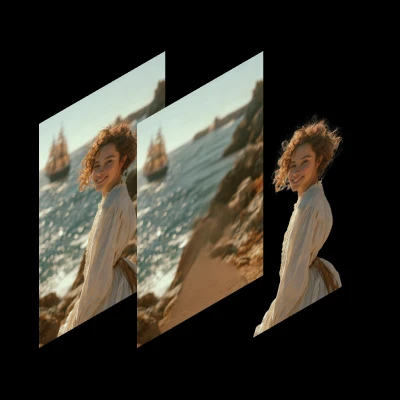




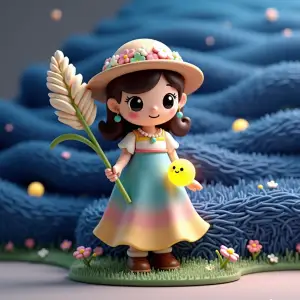

Animate characters
- Wan Animate
Copy movement from a video
- Wan2.1 InfiniteTalk
Make your character sing
- LTX-2.3
Animate a scene from a reference sheet
- wan2.2 Animate
3.2 Advanced: Control Video Generation
- Partner node
Quick Ideate to Storyboard to Animated Video (GPT Image 2 + Seedance 2.0)
- Partner node
SCAIL-2: Character Replacement
- wan2.2 Animate
Wan Animate 2.2 Character Replacement Workflow
- Wan, wan2.2 Animate
Wan2.2 Animate, Character Animation and Replacement
- Wan
Wan3.0: Reference to Video
Swap faces and characters
Upscale and restore
- SeedVR2
Upscale and restore detail
- SeedVR2
Upscale a video
- Nano Banana Pro
Sharpen a product photo
- Topaz
Upscale an illustration
- HitPaw
Restore portrait detail
- LTX-2.3
Restore archival footage
- Z-Image-Turbo
2.3 Creator: Image Upscale & Analysis
- Partner node
AI on the Lot 2026 - QwenVL - Prompt Enhancer
- Partner node
AI on the Lot 2026 - Z-Image Turbo - t2i + Upscale
- Partner node
Character + Clothing Virtual Try on Studio Photoshoot
- Partner node
Color Curves to Video
- Partner node
Comfy for Advertising - OOH Visualization
- Real-ESRGAN
Fast GAN Video Upscaler
- None
Frame Interpolation
- Grok, Z-Image-Turbo
Generate Realistic Variations
- None
GIMM Frame Interpolation
- HitPaw
HitPaw: Portrait Diffusion Upscaler
- HitPaw
HitPaw: Video Enhancement and Upscaling
- Partner node
Image Enhancer
- Partner node
Image Upscale
- Partner node
Image Upscale: Bria Increase Resolution
- None
Image Upscale: Traditional Interpolation
- Z-Image-Turbo
Image Upscale: Z-Image-Turbo 2K
- Magnific
Magnific: Creative Image Upscale
Storyboards
- Qwen-Image-Edit
See your subject from a new angle
- Partner node
1 image input Split Stack - Nano Banana 2 + Kling 3.0
- Qwen-Image-Edit, Wan2.2
1 image input Split Stack - Qwen Multiangle + Wan 2.2
- Kling 3.0, Nano Banana 2
3.1 Advanced: Multi-Shot Video
- Gemini3 Pro Image Preview, Google, Nano Banana Pro
360 Full-body Turnaround
- Seedance 2.0
4K Seedance 2.0 - Reference to Video
- Partner node
Comfy for Advertising - Storyboard Creation
- Qwen-Image-Edit
Generate Multiple Angles with 3D Camera Node
- Kling 3.0
Kling 3.0: 1 Click Multishot
- Wan2.2
Multi-Keyframe Video Stitching
- Partner node
Quick Ideate to Storyboard to Animated Video (GPT Image 2 + Seedance 2.0)
- Nano Banana Pro
Single Image to Multiple Consistent Shots
- Partner node
Storyboard To Video - Seedance 2.0
Edit video
- SeedVR2
Upscale a video
- SCAIL-2
Replace a character in a video
- Seedance 2.5
Change a video’s background
- LTX-2.3
Remove an object from a video
- LTX-2.3
Expand a video’s frame
- LTX-2.3
Restore archival footage
- Partner node
AI on the Lot 2026_LTX-2.3_IC LoRA (Union Control)
- Wan2.2, Z-Image-Turbo
AIrt MAchIne
- Partner node
Beeble SwitchX: Video Edit
- BRIA
Bria: Remove Video Background
- Capybara
Capybara: Video Edit
- SAM3, Wan2.1 VACE
Change Any Objects
- Partner node
Comfy for Advertising - B-Roll Creation
- Partner node
Create seamless transitions with LTX 2.3
- Seedance 2.0
Depth Motion Capture with Seedance 2.0
- Real-ESRGAN
Fast GAN Video Upscaler
- None
Frame Interpolation
- Partner node
Gemini Omni - Outfit Swap
- Partner node
Gemini Omni 1.1 Flash: Text to Video
- Partner node
Gemini Omni 1.1 Flash: Video Edit
- Partner node
Gemini Omni 1.1 Flash: Video Extend
- Partner node
Gemini Omni Flash
- Partner node
Gemini Omni Flash: Video Edit
- LTX-2.3
Googly Eyes
- LTX-2.3
LTX 2.3 - Anime2Real
- Partner node
LTX 2.3 - Lipdub LoRA + Voice Clone
- Partner node
LTX Cleanplate for VFX
- MiniMax
Minimax H3 Video Restyling
- Moonvalley
Moonvalley: Motion Transfer
- Partner node
SCAIL-2: Character Replacement
- Partner node
Video Face Swap
- wan2.2 Animate
Wan Animate 2.2 Character Replacement Workflow
- wan2.2 Animate
Wan2.2 Animate: Automatic Character Replacement
VFX and motion transfer
- Wan Animate
Copy movement from a video
- LTX-2.3
Add camera motion first last frame
- Wan2.1
Animation Trajectory Control
- None
Apply Glitch And Distortion Effects
- Partner node
Color Curves to Video
- Seedance 2.0
Depth Motion Capture with Seedance 2.0
- Partner node
Dynamic Motion Design
- ElevenLabs
ElevenLabs: Text to Sound Effects
- Partner node
Gemini Omni Flash
- Qwen-Image-Edit
Image Inflation Effect with INFL8 LoRA
- wan2.2 Animate
Inflation Lora Character Expansion Effect Video
- Kling, Kling 1.6
Kling 1.6: Video Effects
- Kling 3.0
Kling 3.0: Motion Control
- Kling 2.6, Kling
Kling2.6: Motion Control
- Kling 1.6, Kling
Kling: Dual Character Effect
- Partner node
LTX 2.3 Cameraman IC-LoRA
- Partner node
LTX Cleanplate for VFX
- LTX-2.3
LTX-2.3 Style Transition
- MiniMax
Minimax H3 Video Restyling
- Moonvalley
Moonvalley: Motion Transfer
- None
Pixel Sort Glitch Effect Image Transformation
- Partner node
Seedance 2.0 - Viral Cinemagraph Effect
- Partner node
Text Match Cut
- Partner node
VFX - Bullet Time Effect
Character / sprite sheets and game assets
- Nano Banana Pro
Create a character turnaround
- Gemini3 Pro Image Preview, Google, Nano Banana Pro
360 Full-body Turnaround
- Gemini3 Pro Image Preview, Google, Nano Banana Pro
3x3 Brand Icon Assets Grid
- Partner node
Character Turnaround Sheet Generator
- Qwen-Image, SeedVR2
Equirectangular HDR Skybox Generator
- Nano Banana Pro
Game Asset Style Transfer Sprite Generator
- Nano Banana 2
Single Image to Animated Sprite Sheet
- Google, Nano Banana Pro
Sprite Sheet Generator
Product, fashion and ads
- Qwen-Image-Edit
Change a material
- Qwen-Image-Edit
See your subject from a new angle
- Flux.2 Dev, Flux
Create a product mockup
- Nano Banana Pro
Sharpen a product photo
- Nano Banana Pro
Try an outfit on a character
- Seedream
Put your product in a new scene
- Seedream, MiniMax
Turn a product photo into a video
- Seedream, Kling
1 Image to Car Product Shots
- Nano Banana Pro, Google
1.3 Starter - Product Photography
- Flux.2 Klein
1.3 Starter – Product Photography
- Gemini3 Pro Image Preview, Google, Nano Banana Pro
3x3 Brand Icon Assets Grid
- Nano Banana Pro, Google
3x3 Grid For Product Ads
- Gemini3 Pro Image Preview, Google, Nano Banana Pro
Add Product to Character’s Hand, AI UGC
- Gemini3 Pro Image Preview, Nano Banana Pro, Google, ByteDance, Seedance
Apply Texture + Elements to Logo
- Gemini3 Pro Image Preview, Nano Banana Pro, Google, ByteDance, Seedance
Apply Texture to Logo
- Partner node
Branded Comfy Thumbnail
- Google Gemini Image, Nano Banana Pro, Google, Kling, Kling O1, OpenAI
Character & Outfit to Fashion Video
- Partner node
Character + Clothing Virtual Try on Studio Photoshoot
- Partner node
Cinematic Product Advertisement — Seedance 2.0
- Partner node
Clothes Changer
- Partner node
Comfy for Advertising - B-Roll Creation
- Partner node
Comfy for Advertising - Moodboard Creation
- Partner node
Comfy for Advertising - OOH Visualization
- Partner node
Comfy for Advertising - Product Photography
- Partner node
Comfy for Advertising - Storyboard Creation
- ByteDance, Seedream, Google Gemini, Nano Banana Pro
Dynamic 3D Logo Animations
- Partner node
Gemini Omni - Outfit Swap
- ElevenLabs, LTX-2.3
Generate UGC Video With Voice Clone
Lip sync, avatars and talking heads
- LTX-2.3
Make your character talk
- Wan2.1 InfiniteTalk
Make your character sing
- Seedance 2.0
4K Seedance 2.0 - Reference to Video
- Wan2.1 InfiniteTalk
Audio-Driven Character Lip Sync Video
- Partner node
Generate Talking-Head Videos
- ElevenLabs, LTX-2.3
Generate UGC Video With Voice Clone
- Partner node
Image → Song → Audio-Reactive Video
- Wan2.1 InfiniteTalk
InfiniteTalk: Audio-Driven Full-Body Video Dubbing
- Kling
Kling: Avatar 2.0
- Partner node
LTX 2.3 Audio-Reactive LoRA
- Partner node
LTX 2.3_ID_lora_CelebVHQ
- LTX-2.3
LTX-2.3: ID LoRA
- LTX-2.3
LTX-2.3: Image Audio to Video
- LTX-2
LTX-2: Audio to VIdeo
- Wan2.2, Wan
Wan2.2-S2V Audio-Driven Video Generation
- Wan2.7
Wan2.7: Text to Video
Voice and speech
- Chatter Box
Chatter Box: Multi-Speaker Conversation with Cloned Voices
- Chatter Box
Chatter Box: Multilingual Text-to-Speech with Voice Cloning
- Chatter Box
Chatter Box: Voice Cloning Audio Conversion
- Chatter Box
Chatter Box: Voice Cloning with TTS
- ElevenLabs
ElevenLabs: Speech to Speech
- ElevenLabs
ElevenLabs: Speech to text
- ElevenLabs
ElevenLabs: Text to Dialogue
- ElevenLabs
ElevenLabs: Text to Speech
- ElevenLabs
ElevenLabs:Voice Isolation
- Partner node
Fish Audio: Speech to Text
- Partner node
Fish Audio: Text to Speech
- Partner node
Fish Audio: Voice Clone to Speech
- ElevenLabs, LTX-2.3
Generate UGC Video With Voice Clone
- Wan2.1 InfiniteTalk
InfiniteTalk: Audio-Driven Full-Body Video Dubbing
- Partner node
LTX 2.3 - Lipdub LoRA + Voice Clone
- Partner node
LTX 2.3_ID_lora_CelebVHQ
- LTX-2.3
LTX-2.3: ID LoRA
- None
MelBandRoFormer Audio Separation
Music and sound
- ACE-Step
ACE Step v1 M2M Editing
- ACE-Step
ACE Step v1 Text to Song
- ACE-Step, Google Gemini
ACE-Step 1.5 AI Lyric Song Generation
- ACE-Step
ACE-Step 1.5 Music Generation (4B LLM )
- ACE-Step
ACE-Step 1.5 Music Generation AIO
- ACE-Step
ACE-Step 1.5 Music Generation Workflow
- ACE-Step
ACE-Step 1.5XL Base: Text to Music
- ACE-Step
ACE-Step 1.5XL SFT: Text to Music
- ACE-Step
ACE-Step 1.5XL Turbo: Text to Music
- ACE-Step
ACE-Step v1 Text to Instrumentals Music
- Partner node
Audio Separation
- Chatter Box
Chatter Box: Voice Cloning Audio Conversion
- ElevenLabs
ElevenLabs: Text to Sound Effects
- Partner node
Image → Song → Audio-Reactive Video
- Partner node
LTX 2.3 - Lipdub LoRA + Voice Clone
- Partner node
MiniMax Music 3: Text to Music
- Partner node
Music Generator
- Partner node
Song Generator
- Stability, Stable Audio
Stability Audio 2.5: Audio Inpainting
- Stable Audio, Stability
Stable Audio 1.0: Text to Audio
- Stability, Stable Audio
Stable Audio 2.5: Audio to Audio
- Stability, Stable Audio
Stable Audio 2.5: Text to Audio
- Partner node
Stable Audio 3.0 Medium Base
- ACE-Step
Text to Song (New)
3D models and textures
- Gemini3 Pro Image Preview, Nano Banana Pro, Google, ByteDance, Seedance
Apply Texture + Elements to Logo
- Gemini3 Pro Image Preview, Nano Banana Pro, Google, ByteDance, Seedance
Apply Texture to Logo
- ByteDance, Seedream, Google Gemini, Nano Banana Pro
Dynamic 3D Logo Animations
- Qwen-Image, SeedVR2
Equirectangular HDR Skybox Generator
- Partner node
FastVideo FastH3: Image to Video
- Meshy, Nano Banana 2
Generate 3D Model From Single Image
- Qwen-Image-Edit
Generate Multiple Angles with 3D Camera Node
- Hunyuan3D
HunYuan3D: Text to Model
- Hunyuan3D
Huyuan3D: Model Retopology and UV Unwrapping
- Hunyuan3D, Tencent
HY 3D 2.0
- Hunyuan3D, Tencent
HY 3D 2.0 MV
- Hunyuan3D, Tencent
HY 3D 2.0 MV Turbo
- Hunyuan3D, Tencent
HY 3D 2.1
- Hunyuan3D
HY 3D: 3D Parts Decomposition
- Hunyuan3D
HY 3D: Image to Model
- Hunyuan3D
HY 3D: Smart Topology
- Hunyuan3D
HY 3D: UV Unwrapping
- Partner node
Image to 3D
- Hunyuan3D
Image to 3D (New)
- Meshy
Meshy 6: Image to Model
- Meshy
Meshy 6: Multi-Image to Model
- Meshy
Meshy 6: Text to Model
- Partner node
Meshy 7.1: Image to 3D
- Partner node
Meshy 7.1: Text to Model
ControlNet, depth, pose and other tools
- Flux.2 Dev, Flux.2 Klein, GPT-Image-1.5, Grok, Nano Banana Pro, Qwen-Image-Edit, Seedream
1 input and multiple editing model comparison
- ACE-Step
ACE-Step 1.5 Music Generation (4B LLM )
- Gemini3 Pro Image Preview, Google, Nano Banana Pro
Add Color to Line Art Illustration
- Partner node
AI on the Lot 2026 - Final WF - t2v
- Partner node
AI on the Lot 2026 - QwenVL - i2t
- Partner node
AI on the Lot 2026 - QwenVL - Prompt Enhancer
- Partner node
AI on the Lot 2026_LTX-2.3_IC LoRA (Union Control)
- Partner node
Arrow2: Image to SVG
- Partner node
Arrow2: Text to SVG
- Z-Image-Turbo
Batch Process Text Prompts From List
- Seedance 2.0
Depth Motion Capture with Seedance 2.0
- ElevenLabs
ElevenLabs: Speech to text
- Partner node
Fish Audio: Speech to Text
- Flux.1, Flux
Flux.1 Canny Model
- Flux, Flux.1
Flux.1 Depth Lora
- Flux.1, Flux
Flux.1 Redux Model
- Google Gemini, Google
Google Gemini
- Partner node
Graphic Color Remixer
- Partner node
Graphic Design Recomposer
- Qwen-Image-Edit
Image Editing (New)
- SD1.5, Stability
Lotus Depth
- LTX-2, Lightricks
LTX-2 Canny to Video
- LTX-2, Lightricks
LTX-2 Depth to Video
- LTX-2, Lightricks
LTX-2 Pose to Video
- Partner node
Text Match Cut
Generate images
- Z-Image-Turbo
1.1 Starter - Text to Image
- Z-Image-Turbo
2.1 Creator - Diffusion Basics
- Nano Banana 2 Text-to-Image
3x3 Contact Sheet
- Partner node
AI on the Lot 2026 - Z-Image Turbo - t2i
- Partner node
Anima Base v1: Text to Image
- Capybara
Capybara: Text to Image
- Google Gemini Image, Nano Banana Pro
Character × 4 Scene Explorer
- Chroma
Chroma1 Radiance Text to Image
- Chroma, Flux
Chroma: Text to Image
- Flux, Flux.1
Flux.1 [Pro]: Text to Image
- Flux.1, Flux
Flux.1 Dev fp8: Text to Image
- Flux, Flux.1
Flux.1 Dev USO Reference Image Generation
- Flux, Flux.1
Flux.1 Dev: Text to Image
- Flux, Flux.1 Krea Dev
Flux.1 Krea Dev
- Flux.1, Flux
Flux.1 Schnell FP8
- Flux.1, Flux
Flux.1 Schnell Full: Text to Image
- Flux, Flux.2 Klein
Flux.2 [Klein] 4B: Text to Image
- Flux, Flux.2 Klein
Flux.2 [Klein] 9B: Text to Image
- Flux, Flux.2 Dev
Flux.2 Dev Text to Image
- Partner node
GPT Image 2.5 Flare: Text to Image
- Partner node
GPT Image 2.5 Sunburst: Text to Image
- Partner node
Grok Imagine Image 2.0: Text to Image
- Partner node
Grok Imagine Image Quality: Generation
- Grok
Grok: Text to Image
Architecture, interiors and real estate
More workflows
- Partner node
cinematic_annotate_video
- Flux
FLUX 3 Image Klein Distilled: Image Edit
- Flux
FLUX 3 Image Klein Distilled: Text to Image
- Flux
FLUX 3 Image Klein: Image Edit
- Flux
FLUX 3 Image Klein: Text to Image
- Partner node
Krea 3: Image Edit
- Partner node
Krea 3: Text to Image
- LongCat Image Edit
LongCat Image Edit
- Partner node
LTX-2.5: Text to Video
- MiniMax
MiniMax H3: Text to Video
- Qwen-Image 2512
Qwen-Image 2512: Fun Union ControlNet
- Partner node
Utility Video Upscale
- Partner node
Wan Animate 2: Motion Transfer
What is a ComfyUI workflow?
A ComfyUI workflow is a graph of nodes that connects AI models, prompts and settings into one process. Each workflow on this page turns an input, such as a text prompt or an image, into a finished result. Open a workflow to see its steps and the models it uses, then run it in your browser.
All workflows
- Turn an image into a video
- Create a video from references
- Add camera motion first last frame
- Change a video’s background
- Remove an object from a video
- Expand a video’s frame
- Copy movement from a video
- Make your character talk
- Replace a character in a video
- Make your character sing
- Animate a scene from a reference sheet
- Create a character turnaround
- Change a material
- See your subject from a new angle
- Create a product mockup
- Try an outfit on a character
- Put your product in a new scene
- Turn a product photo into a video
- Upscale and restore detail
- Upscale a video
- Sharpen a product photo
- Upscale an illustration
- Restore portrait detail
- Restore archival footage
- Edit a selected region
- Extend an image’s borders
- Separate an image into editable layers
- Remove an image background
- Match lighting from a reference
- Remove an object
- 1 Click Multiple Character Angles
- 1 click Multiple Scene Angles
- 1 image input Split Stack - Nano Banana 2 + Kling 3.0
- 1 image input Split Stack - Qwen Multiangle + Wan 2.2
- 1 Image to Car Product Shots
- 1 input and multiple editing model comparison
- 1 input multiple styles from prompt
- 1.1 Starter - Text to Image
- 1.2 Starter - Image to Video
- 1.2 Starter – Image to Video
- 1.3 Starter - Product Photography
- 1.3 Starter – Product Photography
- 2.1 Creator - Diffusion Basics
- 2.2 Creator - Diffusion Guidance
- 2.3 Creator: Image Upscale & Analysis
- 3.1 Advanced: Multi-Shot Video
- 3.2 Advanced: Control Video Generation
- 360 Full-body Turnaround
- 3x3 Brand Icon Assets Grid
- 3x3 Contact Sheet
- 3x3 Grid For Product Ads
- 4K Seedance 2.0 - Reference to Video
- ACE Step v1 M2M Editing
- ACE Step v1 Text to Song
- ACE-Step 1.5 AI Lyric Song Generation
- ACE-Step 1.5 Music Generation (4B LLM )
- ACE-Step 1.5 Music Generation AIO
- ACE-Step 1.5 Music Generation Workflow
- ACE-Step 1.5XL Base: Text to Music
- ACE-Step 1.5XL SFT: Text to Music
- ACE-Step 1.5XL Turbo: Text to Music
- ACE-Step v1 Text to Instrumentals Music
- Add Color to Line Art Illustration
- Add Product to Character’s Hand, AI UGC
- Adjustment Frame Workflow
- AI on the Lot 2026 - Final WF - t2v
- AI on the Lot 2026 - LTX-2.3 - i2v
- AI on the Lot 2026 - QwenVL - i2t
- AI on the Lot 2026 - QwenVL - Prompt Enhancer
- AI on the Lot 2026 - Z-Image Turbo - t2i
- AI on the Lot 2026 - Z-Image Turbo - t2i + Upscale
- AI on the Lot 2026_LTX-2.3_IC LoRA (Union Control)
- AI on the Lot 2026_Qwen-Image-Edit-2511
- AIrt MAchIne
- AIrt MAchIne (API version)
- Anima Anime Text-to-Image Generation
- Anima Base v1: Text to Image
- AnimateDiff - IPAdapters Looping Animation
- Animation Trajectory Control
- Anime Generator
- Any Image → Any Aspect Ratio
- Apply Color Grade from Reference Image
- Apply Glitch And Distortion Effects
- Apply Texture + Elements to Logo
- Apply Texture to Logo
- Arrow2: Image to SVG
- Arrow2: Text to SVG
- Audio Separation
- Audio-Driven Character Lip Sync Video
- Batch Process Text Prompts From List
- Beeble SwitchX: Video Edit
- Bira: Remove Image Background
- Blend Video Sequences With Crossfade Transition
- Branded Comfy Thumbnail
- Bria: Image Edit
- Bria: Image Outpainting
- Bria: Remove Video Background
- Capybara: Image Edit
- Capybara: Image to Video
- Capybara: Text to Image
- Capybara: Video Edit
- Change Any Objects
- Character & Outfit to Fashion Video
- Character + Clothing Virtual Try on Studio Photoshoot
- Character Portrait Relighting
- Character Turnaround Sheet Generator
- Character × 4 Scene Explorer
- Chatter Box: Multi-Speaker Conversation with Cloned Voices
- Chatter Box: Multilingual Text-to-Speech with Voice Cloning
- Chatter Box: Voice Cloning Audio Conversion
- Chatter Box: Voice Cloning with TTS
- Chroma1 Radiance Text to Image
- Chroma: Text to Image
- ChronoEdit 14B
- ChronoEdit 14B: Image Edit
- Cinematic Bridge Video
- Cinematic Product Advertisement — Seedance 2.0
- cinematic_annotate_video
- Clothes Changer
- Color Curves to Video
- Comfy for Advertising - B-Roll Creation
- Comfy for Advertising - Moodboard Creation
- Comfy for Advertising - OOH Visualization
- Comfy for Advertising - Product Photography
- Comfy for Advertising - Storyboard Creation
- Comfy for Advertising - Talent Casting
- Commerce Hero Video
- Composite your Product + Scene and Relight
- Create seamless transitions with LTX 2.3
- Depth Motion Capture with Seedance 2.0
- Dynamic 3D Logo Animations
- Dynamic Motion Design
- ElevenLabs: Speech to Speech
- ElevenLabs: Speech to text
- ElevenLabs: Text to Dialogue
- ElevenLabs: Text to Sound Effects
- ElevenLabs: Text to Speech
- ElevenLabs:Voice Isolation
- Equirectangular HDR Skybox Generator
- Expand Image
- Exploded View Animation
- Extract Color Palette
- Face Swap
- Face Swap Workflow
- Fashion Billboard Generator
- Fashion Editorial Shots
- Fast GAN Video Upscaler
- FastVideo FastH3: Image to Video
- FastVideo FastH3: Text to Video
- FireRed Image Edit 1.1: Image Edit
- Fish Audio: Speech to Text
- Fish Audio: Text to Speech
- Fish Audio: Voice Clone to Speech
- FLUX 3 Image Klein Distilled: Image Edit
- FLUX 3 Image Klein Distilled: Text to Image
- FLUX 3 Image Klein: Image Edit
- FLUX 3 Image Klein: Text to Image
- FLUX 3 Video: Text to Video
- FLUX 3 Video: Text to Video
- Flux Kontext Dev Image Edit
- FLUX Virtual Try-On
- Flux.1 [Pro]: Text to Image
- Flux.1 Canny Model
- Flux.1 Depth Lora
- Flux.1 Dev fp8: Text to Image
- Flux.1 Dev OneReward
- Flux.1 Dev USO Reference Image Generation
- Flux.1 Dev: Text to Image
- Flux.1 Inpaint
- Flux.1 Kontext Max
- Flux.1 Kontext Multiple Image Input
- Flux.1 Kontext Pro
- Flux.1 Krea Dev
- Flux.1 Outpaint
- Flux.1 Redux Model
- Flux.1 Schnell FP8
- Flux.1 Schnell Full: Text to Image
- Flux.1: Image Outpainting
- Flux.2 [Klein] 4B Distilled: Image Edit
- Flux.2 [Klein] 4B: Image Edit
- Flux.2 [Klein] 4B: Text to Image
- Flux.2 [Klein] 9B Distilled: Image Edit
- Flux.2 [Klein] 9B: Image Edit
- Flux.2 [Klein] 9B: Text to Image
- FLUX.2 [max]: Object Swap
- Flux.2 Dev Text to Image
- Flux.2 Dev: Image Edit
- Flux.2 Klein 9B: Image Extend
- Flux.2 Pro
- Frame Interpolation
- Game Asset Style Transfer Sprite Generator
- Gemini Omni - Outfit Swap
- Gemini Omni 1.1 Flash: Image to Video
- Gemini Omni 1.1 Flash: Reference to Video
- Gemini Omni 1.1 Flash: Text to Video
- Gemini Omni 1.1 Flash: Video Edit
- Gemini Omni 1.1 Flash: Video Extend
- Gemini Omni Flash
- Gemini Omni Flash: Image to Video
- Gemini Omni Flash: Text to Video
- Gemini Omni Flash: Video Edit
- Generate 3D Model From Single Image
- Generate Brand Packaging from Dieline
- Generate Multiple Angles with 3D Camera Node
- Generate Poster/Ad Asset with your Product
- Generate Realistic Variations
- Generate Talking-Head Videos
- Generate UGC Video With Voice Clone
- GIMM Frame Interpolation
- Google Gemini
- Googly Eyes
- GPT Image 2.5 Flare: Text to Image
- GPT Image 2.5 Sunburst: Image Edit
- GPT Image 2.5 Sunburst: Text to Image
- Graphic Color Remixer
- Graphic Design Recomposer
- Grok Imagine Image 2.0: Image Edit
- Grok Imagine Image 2.0: Text to Image
- Grok Imagine Image Quality: Edit
- Grok Imagine Image Quality: Generation
- Grok: Image Edit
- Grok: Reference to Video
- Grok: Text to Image
- Grok: Video Edit
- Grok: Video Extend
- Grok: Video generation
- Hairstyle Changer
- HappyHorse 1.1: Image to Video
- HappyHorse 1.1: Text to Video
- Headshot Generator
- HiDream E1 Image Edit
- HiDream E1.1 Image Editing
- HiDream I1 Dev
- HiDream I1 Fast
- HiDream I1 Full
- HitPaw: Portrait Diffusion Upscaler
- HitPaw: Video Enhancement and Upscaling
- HuMo Video Generation
- Hunyuan Video 1.5 Image to Video
- Hunyuan Video 1.5 Text to Video
- Hunyuan Video Text to Video
- HunYuan3D: Text to Model
- Huyuan3D: Model Retopology and UV Unwrapping
- HY 3D 2.0
- HY 3D 2.0 MV
- HY 3D 2.0 MV Turbo
- HY 3D 2.1
- HY 3D: 3D Parts Decomposition
- HY 3D: Image to Model
- HY 3D: Smart Topology
- HY 3D: UV Unwrapping
- HY Image 3.5 Preview: Image Edit
- HY Image 3.5 Preview: Tex t Image
- Ideogram P-Image: Text to Image
- Ideogram V3: Text to Image
- Ideogram v4: Text to Image
- Ideogram v4: Text to Image (API)
- Illustration to Realism
- Image Editing (New)
- Image Enhancer
- Image Generation
- Image Inflation Effect with INFL8 LoRA
- Image Relight
- Image Stitch 2x2 Grid
- Image to 3D
- Image to 3D (New)
- Image to Script to Kling Video Generation
- Image to Video
- Image to Video
- Image to Video (New)
- Image Upscale
- Image Upscale: Bria Increase Resolution
- Image Upscale: Traditional Interpolation
- Image Upscale: Z-Image-Turbo 2K
- Image → Song → Audio-Reactive Video
- InfiniteTalk: Audio-Driven Full-Body Video Dubbing
- Inflation Lora Character Expansion Effect Video
- Interior Design - Add furniture into a Render
- Isometric Miniatures from a Selfie
- Kandinsky 5.0 Image Lite: Text to Image
- Kandinsky 5.0 Video Lite Image to Video
- Kandinsky 5.0 Video Lite Text to Video
- Kling 1.6: Video Effects
- Kling 3.0: 1 Click Multishot
- Kling 3.0: First Last Frame to Video
- Kling 3.0: Motion Control
- Kling 3.0: Text to Image
- Kling 3.0: Video Generation
- Kling O1: Image
- Kling O1: Image to Video
- Kling O1: Text to Video
- Kling O1: Video Edit
- Kling O1: Video to Video
- Kling O3: FLF2V
- Kling O3: Image Genertaion
- Kling O3: Reference to Video
- Kling O3: Text to Video
- Kling O3: Video Edit
- Kling1.6: FLF2V
- Kling2.0: Image to Video
- Kling2.6: Animate Images with Audio
- Kling2.6: Motion Control
- Kling2.6: Storytelling Videos with Audio
- Kling: Avatar 2.0
- Kling: Dual Character Effect
- Krea 2 LoRAs Showcase
- Krea 2 Moodboards
- Krea 2: Style Reference
- Krea 3: Image Edit
- Krea 3: Text to Image
- Krea-2: Text to Image
- Krea2: Text to Image
- LED Billboard Message
- Light Migration for Character Portrait
- LivePortrait for Facial Expression
- LongCat Image Edit
- LongCat Image: Text to Image
- Looped Restyler
- Lotus Depth
- LTX 2.3 - Anime2Real
- LTX 2.3 - Cozy Felt
- LTX 2.3 - EditAnything - Video Editing via Prompt
- LTX 2.3 - Lipdub LoRA + Voice Clone
- LTX 2.3 Audio-Reactive LoRA
- LTX 2.3 Cameraman IC-LoRA
- LTX 2.3_ID_lora_CelebVHQ
- LTX Cleanplate for VFX
- LTX-2 Canny to Video
- LTX-2 Depth to Video
- LTX-2 Image to Video (Distilled)
- LTX-2 Pose to Video
- LTX-2 Text to Video
- LTX-2 Text to Video (Distilled)
- LTX-2.3 Style Transition
- LTX-2.3: FLF2V
- LTX-2.3: ID LoRA
- LTX-2.3: Image Audio to Video
- LTX-2.3: Image to Video
- LTX-2.3: Text to Video
- LTX-2.5 (Pro): FLF2V
- LTX-2.5 (Pro): Image to Video
- LTX-2.5 (Pro): Text to Video
- LTX-2.5: FLF2V
- LTX-2.5: Image to Video
- LTX-2.5: Text to Video
- LTX-2: Audio to VIdeo
- LTX-2: Image to Video
- LTX-2: Text to Video
- LTXV Image to Video
- LTXV Text to Video
- Luma Photon: Image to Image
- Luma Photon: Style Reference
- Luma: Image to Video
- Luma: Text to Video
- Magazine Cover & Package Design
- Magnific: Creative Image Upscale
- Magnific: Image Relight
- Magnific: Precise Image Upscale
- Magnific: Skin Enhancer
- Magnific: Style Reference
- MAI Image 2.6 Flash: Image Edit
- MelBandRoFormer Audio Separation
- Meshy 6: Image to Model
- Meshy 6: Multi-Image to Model
- Meshy 6: Text to Model
- Meshy 7.1: Image to 3D
- Meshy 7.1: Text to Model
- MiniMax H3 Max Turbo: Image to Video
- MiniMax H3 Max: FLF2V
- MiniMax H3 Max: Image to Video
- MiniMax H3 Max: Reference to Video
- MiniMax H3 Max: Text to Video
- MiniMax H3 Turbo: Text to Video
- Minimax H3 Video Restyling
- MiniMax H3: FLF2V
- MiniMax H3: Image to Video
- MiniMax H3: Multiframe Reference
- MiniMax H3: Reference to Video
- MiniMax H3: Text to Video
- MiniMax H3: Text to Video
- MiniMax Music 3: Text to Music
- MiniMax: Image to Video
- MiniMax: Text to Video
- MiniMax: Video
- Moonvalley: Image to Video
- Moonvalley: Motion Transfer
- Moonvalley: Pose Control
- Moonvalley: Text to Video
- MOSS Image - Color-Depth-Control LoRA
- Motion Collages
- Multi-Keyframe Video Stitching
- Multiple Prompt List
- Muse Image 1.0: Image Edit
- Muse Image 1.0: Text to Image
- Music Generator
- Nano Banana
- Nano Banana 2 Lite: Image Edit
- Nano Banana 2 Lite: Text to Image
- Nano Banana 2.1: Image Edit
- Nano Banana 2.1: Text to Image
- Nano Banana 2: Image Edit
- Nano Banana Pro
- Nano Banana Pro: AI Image Enhancement
- Nano Banana Pro: Product Detail Enhancement
- Nano Banana Pro: Stylized Art Creative Upscale
- NetaYume Lumina Text to Image
- NewBie Exp0.1: Anime Generation
- Noise Injected VideoGen
- Ohneis - Product Workflow
- OmniGen2 Image Edit
- OmniGen2: Text to Image
- One Button Transformation
- OpenAI: Chat
- OpenAI: Dall-E 2 Inpaint
- OpenAI: Dall-E 2 Text to Image
- OpenAI: Dall-E 3 Text to Image
- OpenAI: GPT-Image-1 Image to Image
- OpenAI: GPT-Image-1 Inpaint
- OpenAI: GPT-Image-1 Multi Inputs
- OpenAI: GPT-Image-1 Text to Image
- Outfit Application for Character Portraits
- Outpaint to Any Aspect Ratio - Nano Banana Pro
- Ovis-Image Text to Image
- Panoramic Image Generation
- Phone Image to Product Video: Shoe
- Photo to Blueprint to Model
- Photo to Cartoon Style Caricature
- Pixal3D & TRELLIS.2: Image to Model
- Pixal3D: Multi Views to 3D
- Pixel Sort Glitch Effect Image Transformation
- PixVerse 6.0: Image to Video
- PixVerse 6.0: Text to Video
- PixVerse Templates: Image to Video
- PixVerse: Image to Video
- PixVerse: Text to Video
- Portrait Relight
- Poster Scene Mockups
- Product Ad Cinematic Sequence Generator
- Product Advertisement Video
- Product Mockup(Flux.2 Dev FP8)
- Product Placement
- Product Placement (Flux.2 Klein)
- Product Scene Transformation
- Profile Picture Stylized Variations
- Prompt Multi Batch Generation
- QR Code Image Generator
- Quick Animatic Boards
- Quick Ideate to Storyboard to Animated Video (GPT Image 2 + Seedance 2.0)
- Quiver: Image to SVG
- Quiver: Text to SVG
- Qwen Image 2.1: Image Edit
- Qwen Image 2.1: Text to Image
- Qwen Image 2512
- Qwen Image Edit
- Qwen Image Edit 2509
- Qwen Image Edit 2511 - Material Replacement
- Qwen Image Edit for Illustration v 1.0
- Qwen Image Layer Decomp for Illustration v1
- Qwen Image: Gummy Animals LoRA
- Qwen Image: Illustration LoRA
- Qwen-Image 2512 Turbo
- Qwen-Image 2512: Fun Union ControlNet
- Qwen-Image ControlNet Model Patch
- Qwen-Image InstantX Inpainting ControlNet
- Qwen-Image InstantX Union ControlNet
- Qwen-Image Text to Image
- Qwen-Image Union Control
- Qwen-Image-Layered Control Decomposition
- Qwen-Image-Layered Decomposition
- Qwen-Image: Text to Image
- Qwen3.0: Text Generation
- Qwen3.5: Text Generation
- Realistic 2k Images - Quick Variations
- Realistic Poster Redesign With Character Transformation
- Recraft 4.1 flash: Text to Image
- Recraft Style Reference Generation
- Recraft V4: Style‑Reference Image Generation
- Recraft v4: Text to Image
- Recraft v4: Text to Vector
- Recraft: Color Control Image Generation
- Recraft: Creative Image Enhancement Upscaler
- Recraft: Crisp Upscale Image Restoration
- Recraft: Style Control Image Generation
- Recraft: Vector Generation
- Refocus LTX 2.3 IC LoRA
- Relight and Environment Merge
- Relight Composited Product
- Remove Object from Video - LTX 2.3 Obscura Remova LoRA
- Remove Subtitles from Video - LTX 2.3 LoRA
- Remove Watermark from Video - LTX 2.3 LoRA
- Restore Archival Footage - LTX 2.3 Dearchive LoRA
- Restore Old Photos
- Reve: Image Edit
- Reve: Image Remix And Edit
- Reve: Text to Image
- Rodin: Gen-2 Image to Model
- Rodin: Image to Model
- Rodin: Multiview to Model
- Runway: First Last Frame to Video
- Runway: Gen3a Turbo Image to Video
- Runway: Gen4 Turbo Image to Video
- Runway: Reference to Image
- Runway: Text to Image
- SAM3 - Remove Background via Prompt
- SAM3 - Video Masking via Text Prompts
- SCAIL-2: Character Replacement
- SD3.5 Large Blur
- SD3.5 Large Canny ControlNet
- SD3.5 Large Depth
- SD3.5 Simple
- SDPose-OOD: Image to Pose Map
- SDPose-OOD: Video to Pose Map
- SDPose: Image Multi-Person Detection
- SDPose: Video Multi-Person Detection
- SDXL Refiner Prompt
- SDXL Revision Text Prompts
- SDXL Simple
- SDXL Turbo
- Seamless Video Transitions - LTX 2.3 FLW LoRA
- Seed Audio 1.0: Text + Audio to Audio
- Seed Audio 1.0: Text + Image to Audio
- Seed Audio 1.0: Text to Audio
- Seedance 1.0 Pro: Image to Video
- Seedance 1.5 Pro: FLF2V
- Seedance 1.5 Pro: Image to Video
- Seedance 2.0 + LLM Prompt Helper
- Seedance 2.0 - Extend Video
- Seedance 2.0 - Viral Cinemagraph Effect
- Seedance 2.0 - Viral Videos Character Swap
- Seedance 2.0 Cinematic Prompt Studio
- Seedance 2.0 Image to Video
- Seedance 2.0 Mini: Reference to Video
- Seedance 2.0 Mini: Text to Video
- Seedance 2.0 Multiframe Stitch
- Seedance 2.0 Reference to Video - Concept Art + Stop Motion Style
- Seedance 2.0: Reference to Video
- Seedance 2.0: Text to Video
- Seedance 2.5: FLF2V
- Seedance 2.5: Reference to Video
- Seedance 2.5: Text to Video
- Seedance 2.5: Video Extend
- Seedance Playblast2Render
- Seedance1.0 Pro: Start End to Video
- Seedance1.0 Pro: Text to Video
- Seedance1.5 Pro: Text to Video
- Seedance2.0 4K: Reference to Video
- Seedance2.0 Real Human: FLF2V
- Seedance2.0 Real Human: Image to Video
- Seedance2.0: First-Last-Frame to Video
- Seedance2.5 1080P: Image to Video
- Seedance2.5 1080P: Text to Video
- Seedance2.5: Video Editing
- Seedream 4.0: Image Edit
- Seedream 5.0 Lite: Image Edit
- Seedream 5.0 Lite: Text to Image
- Seedream 5.0 Pro
- Seedream 5.0 Pro: Image Edit
- Seedream 5.0 Pro: Text to Image
- SeedVR2: Image Upscale
- SeedVR2: Video Upscaling
- Selfie + Text Prompt to Studio Photoshoot Doodle
- Single Image to 3D model
- Single Image to Animated Sprite Sheet
- Single Image to Multiple Consistent Shots
- Skin Enhancer + Upscaler
- Sky Replacement
- Song Generator
- Sora 2: Text & Image to Video
- Sprite Sheet Generator
- Squish Anything with LTX-2 I2V and LoRA
- Stability AI: Image to Image
- Stability AI: Image Upscale fast
- Stability AI: SD3.5 Image to Image
- Stability AI: SD3.5 Text to Image
- Stability AI: Stable Image Ultra Text to Image
- Stability Audio 2.5: Audio Inpainting
- Stable Audio 1.0: Text to Audio
- Stable Audio 2.5: Audio to Audio
- Stable Audio 2.5: Text to Audio
- Stable Audio 3.0 Medium Base
- Step 1: Contact Sheet Workflow
- Step 2: Contact Sheet Workflow
- Step 3: Contact Sheet Workflow
- Storyboard To Video - Seedance 2.0
- Style Transfer - Recraft Text-to-Image
- Style Transfer Vid2Vid - GPT Image 2 + Seedance 2.0
- Stylize Video - Frame by Frame - Flux.2 Klein 4b
- SVD Text to Image to Video
- Swap Product in Character’s Hand, UGC Style
- Swap Product Into a Reference AD
- Switch Node
- SYSTMS ACTION: QWEN IMAGE EDIT 2511
- Tattoo Generator
- Text Match Cut
- Text to Image (New)
- Text to Song (New)
- Topaz Astra: Video Creative Upscale
- Topaz: Illustration Upscale
- Topaz: Image Enhance
- Topaz: Image Enhance Bloom 2
- Topaz: Image Enhance Wonder 3.5
- Topaz: Landscape Upscaling with Topaz Reimagine
- Tripo3.0: Image to Model
- Tripo3.0: Text to Model
- Tripo: Image to Model
- Tripo: Multiview to Model
- Tripo: Text to Model
- Utility Merge Video
- Utility Video Upscale
- Veo2: Image to Video
- Veo3: Image to Video
- VFX - Bullet Time Effect
- VFX Passes to Video
- VFX Utilities
- Video Aspect Ratio Extension
- Video Face Swap
- Video Outpainting
- Video Restoration
- Video Restyle
- Video to Depth Map
- Video to Lineart / Canny
- Video to Normal Map
- Video to Pose Map - OpenPose
- Video to Seamless Loop Converter
- Video Upscale
- Video Upscale: Topaz Starlight Precise 2.5
- Vidu Q1: Image to Video
- Vidu Q1: Reference to Video
- Vidu Q1: Start End to Video
- Vidu Q1: Text to Video
- Vidu Q2: FLF2V
- Vidu Q2: Image to Video
- Vidu Q2: Reference to Video
- Vidu Q2: Text to Video
- Vidu Q3 Audio-Visual Video Generation
- Vidu Q3 Image-to-Video with Audio
- Vidu: Video Extension
- Virtual Try On with Character - 4 in 1
- VOID: Video Inpainting
- Wan 2.1 ControlNet
- Wan 2.1 FLF2V 720p F16
- Wan 2.1 Fun Camera 1.3B
- Wan 2.1 Fun Camera 14B
- Wan 2.1 Image to Video
- Wan 2.1 Inpainting
- Wan 2.1 Text to Video
- Wan 2.2 14B First-Last Frame to Video
- Wan 2.2 14B Fun Camera Control
- Wan 2.2 14B Fun Control
- Wan 2.2 14B Fun Inp
- Wan 2.2 14B Image to Video
- Wan 2.2 14B Text to Video
- Wan 2.2 5B Fun Control
- Wan 2.2 5B Fun Inpaint
- Wan 2.2 5B Video Generation
- Wan Animate 2.2 Character Replacement Workflow
- Wan Animate 2: Motion Transfer
- Wan ATI Motion Control
- Wan ATI Trajectory Control
- Wan-Move Motion-Control Image to Video
- Wan2.1 Alpha T2V
- Wan2.1 ATI
- Wan2.1 SCAIL
- Wan2.1 VACE Control Video
- Wan2.1 VACE First-Last Frame
- Wan2.1 VACE Inpainting
- Wan2.1 VACE Outpainting
- Wan2.1 VACE Reference to Video
- Wan2.1 VACE Text to Video
- Wan2.2 Animate, Character Animation and Replacement
- Wan2.2 Animate: Automatic Character Replacement
- Wan2.2-S2V Audio-Driven Video Generation
- Wan2.5: Image to Video
- Wan2.5: Text to Image
- Wan2.5: Text to Video
- Wan2.6: Image to Video
- WAN2.6: Reference to Video
- Wan2.6: Text to Video
- Wan2.7: Image to Video
- Wan2.7: Reference to Video
- Wan2.7: Text to Video
- Wan2.7: Video Edit
- Wan3.0: Image to Video
- Wan3.0: Reference to Video
- Wan3.0: Text to Video
- WanMove: Daydream Illusion
- WaveSpeed: AI Image Restoration with SeedVR2
- WaveSpeed: FlashVSR Video Upscale
- WaveSpeed: Image Upscale
- YouTube Thumbnail Generator
- Z-Image-Turbo Fun Union ControlNet
- Z-Image-Turbo Text to Image
- Z-Image-Turbo_Oldschool-Hud-Graphics
- Z-Image: Text to Image